
How To Charge A Dead Golf Cart Battery: Full Guide
A dead golf cart battery means your cart has no power or very little power. Yes, you can often charge a dead golf cart battery. It might seem like a big job, but it is possible with the right tools and steps. This guide will show you how to do it safely and well.
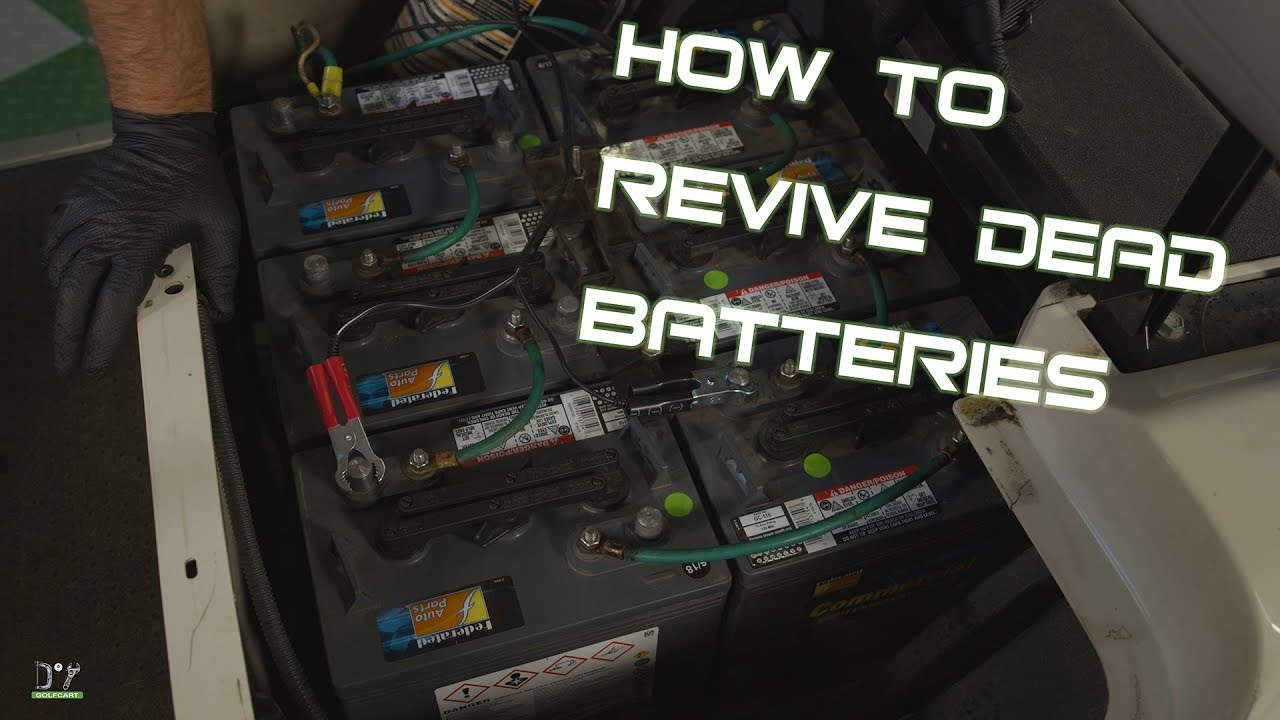
Image Source: i.ytimg.com
Signs Your Golf Cart Battery is Dead
Spotting a dead battery early can save you trouble. Here are common symptoms of dead golf cart battery:
- No Movement: The cart does not move at all when you press the pedal.
- Slow Speed: The cart moves very slowly, even on flat ground.
- Dim Lights: Headlights or tail lights are very dim or do not turn on.
- Clicking Sounds: You hear a clicking noise when you try to start the cart. This means there is not enough power to turn on the main contactor.
- Charger Won’t Start: Your battery charger may not turn on. Many smart chargers need a certain voltage to start charging. If the battery is too low, the charger thinks it is not connected.
- Low Voltage Readings: When you test golf cart battery voltage with a meter, the numbers are very low. A 12-volt battery should be at least 12.0 volts. If it is much lower, it is deeply discharged.
Safety First: Essential Precautions
Working with batteries can be risky. Batteries hold a lot of power. They also have acid inside. Always put safety first.
- Wear Safety Gear: Always wear eye protection. Use heavy-duty gloves. This keeps acid and sparks away from your eyes and hands.
- Work in a Well-Aired Area: Batteries make hydrogen gas. This gas can blow up if it gets too much spark. Make sure your work area has fresh air. Do not smoke nearby. Keep open flames away.
- Turn Off the Cart: Make sure the golf cart is off. Take the key out. Set the tow/run switch to “tow” if your cart has one. This cuts power to the motor.
- Remove Metal Jewelry: Take off rings, watches, and necklaces. Metal can cause a short circuit if it touches battery terminals. This can cause severe burns.
- Clean Up Spills: Keep baking soda and water nearby. If battery acid spills, baking soda can make it safe. Pour it on the spill until it stops fizzing. Then rinse with water.
Tools You Will Need
Having the right tools makes the job easier and safer.
- Voltmeter or Multimeter: This tool lets you test golf cart battery voltage. It is very important. It tells you how much power each battery has.
- Battery Charger: You need a golf cart battery charger type that matches your cart’s voltage (36V, 48V, etc.). Make sure it works.
- Jumper Cables: These are useful for jump starting golf cart batteries. But only in special cases, and with great care.
- Battery Terminal Cleaner: Use a wire brush or special cleaning tool. This gets rid of dirt and rust on battery posts.
- Baking Soda and Water: For cleaning terminals and spills.
- Wrench or Socket Set: To loosen and tighten battery cables.
- Distilled Water: For filling battery cells after charging.
- Battery Hydrometer (Optional): This measures the strength of the acid. It gives you a better idea of the battery’s health.
Step-by-Step Guide to Charging a Dead Golf Cart Battery
Here is how to safely charge golf cart battery step by step.
A. Checking the Battery State
Before you do anything, check the voltage of each battery. Golf carts use a set of smaller batteries linked together. For example, a 48-volt cart might use six 8-volt batteries. A 36-volt cart might use six 6-volt batteries.
- Find Your Batteries: They are usually under the seat. Lift the seat up.
- Count Your Batteries: See how many separate batteries are there.
- Check Each Battery’s Voltage:
- Set your voltmeter to DC Volts.
- Touch the red probe to the positive (+) terminal of one battery.
- Touch the black probe to the negative (-) terminal of the same battery.
- Write down the voltage reading for each battery.
What low voltage means:
If a 6-volt battery reads below 5 volts, it is very low. If an 8-volt battery reads below 7 volts, it is very low. Batteries that are too low might be hard for a regular charger to start. Some very dead batteries might not come back at all.
B. Cleaning Battery Terminals
Dirty battery terminals can stop a good charge. They can also stop power from flowing to the motor.
- Loosen Cables: Use your wrench to loosen the nuts on the battery terminals.
- Remove Cables: Take off the negative (-) cables first. Then take off the positive (+) cables. Be careful not to let any tools touch two terminals at once. This can cause a spark.
- Mix Cleaning Solution: Put a few spoonfuls of baking soda in a cup of water.
- Clean Terminals and Posts: Dip your wire brush in the baking soda mix. Scrub all battery terminals. Scrub the cable ends too. Clean until they are shiny. This mix helps clean off white or green corrosion.
- Rinse and Dry: Rinse the cleaned parts with clean water. Dry them well with a clean cloth. Make sure no water stays on the battery tops.
C. Choosing the Right Charger
The golf cart battery charger type you use matters a lot.
- Voltage Match: Your charger must match your golf cart’s total voltage (e.g., a 48V charger for a 48V cart).
- Automatic vs. Manual:
- Automatic Chargers (Smart Chargers): These are best. They sense the battery’s charge level. They adjust the current. They stop charging when full. This prevents overcharging. Many also have a “float” mode to keep batteries ready.
- Manual Chargers: You must watch these closely. They can overcharge batteries. This can hurt batteries and shorten their life. Only use a manual charger if you know how to watch it.
- Desulfation Feature: Some smart chargers have a desulfation mode. This can help desulfating golf cart battery guide if it has hard sulfate crystals. These crystals block power flow.
Table: Common Golf Cart Voltage and Charger Types
| Golf Cart Voltage | Battery Setup (Example) | Recommended Charger Type | Best For |
|---|---|---|---|
| 36 Volts | Six 6-volt batteries | 36V Automatic Smart | General use, safety |
| 48 Volts | Four 12-volt batteries OR | 48V Automatic Smart | General use, safety |
| Six 8-volt batteries | |||
| 72 Volts | Six 12-volt batteries | 72V Automatic Smart | General use, safety |
| All Voltages | Deeply dead batteries | Charger with Desulfation | Recovering dead batteries |
D. Connecting the Charger Safely
This step is very important. Always connect in the right order.
- Connect Charger to Batteries:
- Connect the positive (+) charger cable to the positive (+) terminal of your main battery. This is usually the battery that has the main positive cable going to the cart’s system.
- Connect the negative (-) charger cable to the negative (-) terminal of your main battery. This is usually the battery with the main negative cable going to the cart’s system.
- Important: If your cart has a charging port, use that. The charger cable plugs directly into the cart’s charge port. This is safer and easier. Only connect directly to batteries if the port is broken or your charger does not fit.
- Plug in the Charger: Once the cables are firm on the battery terminals (or the plug is in the port), plug the charger into a wall outlet.
E. The Charging Process
Now, the charging starts.
- Listen for the Charger: You might hear a fan. Or you might see lights on the charger turn on. This means it is working.
- How Long It Takes: Charging a deeply dead battery can take a long time. It might take 10 to 16 hours. Sometimes even longer. This is often a slow charging golf cart battery process. This gentle charge is good for bringing very low batteries back to life. It helps prevent damage.
- Monitoring the Charge:
- Automatic Chargers: These stop when the batteries are full. You do not need to watch them all the time. But check on them now and then. Make sure no weird smells or sounds come from the batteries.
- Manual Chargers: You must watch these closely. Use your voltmeter to check the voltage every few hours. When the voltage stops going up, the batteries are full. Stop charging then.
What to watch for:
* Heat: Batteries should not get too hot. If they get hot, stop charging. Let them cool down.
* Bubbling: Light bubbling from the battery cells is normal. It means the battery is getting a charge. Strong, fast bubbling means overcharging.
F. Disconnecting Safely
Always disconnect in the reverse order of connecting.
- Unplug the Charger: First, unplug the charger from the wall outlet.
- Remove Charger Cables: Then, remove the negative (-) charger cable from the battery or cart port.
- Remove Positive Cable: Finally, remove the positive (+) charger cable from the battery or cart port.
G. Post-Charge Checks
After charging, do these final checks.
- Re-test Voltage: Use your voltmeter to check the total voltage of the battery pack. Also check each single battery. They should all be close to full voltage. For example, a 6-volt battery should be around 6.3-6.4 volts when full. An 8-volt battery should be around 8.4-8.5 volts. A 12-volt battery should be around 12.6-12.7 volts.
- Check Water Levels: Golf cart batteries are usually “wet cell” batteries. They need water. After charging, check the water level in each cell.
- Take off the caps on top of each battery.
- The water (acid solution) should cover the lead plates inside. It should be about 1/4 to 1/2 inch above the plates.
- If low, add only distilled water. Do not use tap water. Tap water has minerals that can hurt the battery.
- Do not overfill. The water level will go up when charging. Fill only after charging.
- Put the caps back on tightly.
- Clean Up: Clean any acid or dirt off the battery tops.
Special Cases: Dealing with Very Dead Batteries
Some batteries are so dead that a normal charger will not start.
Jump Starting Golf Cart Batteries
You can jump starting golf cart batteries to “wake up” the main charger. This is not a full charge. It just gives enough power for the main charger to sense the battery.
Important Warning: This is risky. Do it only if you know what you are doing. If done wrong, it can cause sparks, fire, or battery damage. Do NOT try to jump-start the whole golf cart system directly.
- Find the Deadest Battery: Use your voltmeter. Find the battery with the lowest voltage in the pack.
- Use a 12V Charger: Get a small, separate 12-volt battery charger.
- Connect to One Battery: Connect the positive (+) lead of the 12V charger to the positive (+) terminal of the dead battery. Connect the negative (-) lead of the 12V charger to the negative (-) terminal of the dead battery.
- Charge for a Short Time: Charge for 20-30 minutes. This should raise the voltage enough for your main golf cart charger to start.
- Disconnect Safely: Unplug the 12V charger from the wall first. Then disconnect the cables from the battery.
- Connect Main Charger: Now, connect your main golf cart charger. It should start charging the whole pack.
Reactivating a Deeply Discharged Battery
For batteries that are very low but not completely dead, a slow charging golf cart battery method can help.
- Use a smart charger that has a low-amp setting.
- Charge the battery at a very low current (e.g., 5 amps) for a long time.
- This gentle charge can slowly bring the battery voltage up. It is less stressful on the battery plates.
Some advanced chargers also have a “pulse” or desulfating golf cart battery guide mode. This sends small electrical pulses to help break down sulfate crystals. These crystals build up on the lead plates in dead batteries. They stop the battery from holding a charge.
Advanced Techniques: Restoring a Dead Battery
Sometimes, you can try to recondition dead golf cart battery if it is not too old or damaged.
Desulfation Process
Sulfation is the main reason batteries fail. Lead sulfate crystals grow on the plates when a battery is left uncharged. This makes the battery lose capacity.
- Desulfator Devices: You can buy special desulfator devices. They connect to the battery and send high-frequency pulses. These pulses can break down sulfate crystals.
- Chargers with Desulfation Mode: As mentioned, some smart chargers have this built-in feature. They will try to desulfate the battery before charging it normally.
- Epsom Salt Method (Use with Caution): Some people try to use an Epsom salt solution to recondition batteries. This involves draining some acid and adding a mix of Epsom salt and distilled water. This method is not widely recommended by battery makers. It can damage the battery if done wrong. It also changes the acid strength. Only try this as a last resort, and if you know the risks.
Professional Reconditioning
Some battery shops offer reconditioning services. They have special tools and knowledge to try to bring old batteries back. This can be cheaper than buying new batteries.
Troubleshooting Common Charging Issues
Even with the right steps, you might face problems. Here is some golf cart battery charging troubleshooting.
Problem 1: Charger Not Turning On
- Check Power: Is the charger plugged into a working outlet?
- Check Fuses/Breakers: Does the charger have a fuse? Is the circuit breaker tripped in your house?
- Charger Plug: Is the charger plug clean and firmly in the golf cart’s charging port?
- Battery Voltage Too Low: Many smart chargers need a certain voltage to start. If your battery pack is too low (e.g., less than 30V for a 48V cart), the charger won’t sense it. See the “Jump Starting” section to try to wake it up.
- Charger Fault: The charger itself might be broken. Test it on a known good battery pack if possible.
Problem 2: Charger Turns On But Does Not Charge (Lights Stay on “Charging” for Too Long)
- Bad Connection: Check all cable connections. Make sure they are clean and tight.
- Bad Charger: The charger might be faulty. It might be trying to charge but not sending enough power.
- Dead Cell: One battery in your pack might have a dead cell. Use your voltmeter to check each battery. If one battery reads much lower than the others, it might be the problem. A single bad battery can stop the whole pack from charging well.
- Sulfation: Heavy sulfation can stop a battery from accepting a charge. Try a desulfation cycle if your charger has one.
Problem 3: Batteries Charge But Die Quickly / Don’t Hold a Charge
- Old Batteries: Batteries have a lifespan. Most golf cart batteries last 4-6 years with good care. If yours are older, they might be worn out.
- Bad Cells: One or more cells inside a battery might be bad. This will make the battery lose charge fast.
- High Self-Discharge: Some batteries just lose charge fast even when not used. This means they are getting old.
- Sulfation: Again, sulfation reduces a battery’s ability to hold a charge.
- Parasitic Drain: Something on your golf cart might be drawing power even when it is off. Lights, radios, or other accessories can slowly drain the battery. Check for this.
Problem 4: Batteries Getting Very Hot or Smelling Bad During Charge
- Overcharging: This means the charger is sending too much current, or it is not stopping when full. This can damage batteries. Disconnect immediately.
- Bad Charger: Your charger might be faulty. It might not be sensing the voltage correctly.
- Internal Short: A battery might have an internal short circuit. This causes it to heat up fast. If one battery is much hotter than the others, it is likely bad. Replace it.
- Low Water Level: If the water level is too low, the battery can heat up easily. Check and fill with distilled water.
Maintaining Your Golf Cart Batteries
Good care helps your batteries last longer. Follow these golf cart battery maintenance tips:
- Regular Cleaning: Keep battery tops, terminals, and cables clean. Use the baking soda solution. Clean off corrosion often.
- Check Water Levels Often: For wet cell batteries, check the water levels every 2-4 weeks. Add only distilled water after charging.
- Proper Storage: If you store your cart for a long time, charge the batteries fully first. Then, charge them every 30-45 days. Or use a smart charger with a “float” mode. This keeps them topped off.
- Avoid Deep Discharge: Never let your batteries go completely dead. This harms them. Charge them after every use, or at least every few days.
- Do Not Overcharge: Use a smart charger that stops when full. Overcharging damages batteries.
- Keep Vents Clear: Make sure the caps on top of the batteries are clean and can let gas out.
- Check Cable Connections: Make sure all battery cables are tight. Loose cables cause resistance and heat.
When to Call a Professional / Replace Batteries
Sometimes, a battery is beyond saving.
- Very Old Batteries: If your batteries are 6-8 years old or more, they are likely at the end of their life.
- Swelling or Leaks: If a battery looks swollen or is leaking acid, it is bad. Replace it right away. Do not try to charge it.
- Reconditioning Fails: If you tried to recondition them and they still do not hold a charge, it is time for new ones.
- Only One Bad Battery: If one battery in a pack is consistently bad, replace it. But it is best to replace all batteries in a pack at the same time. A new battery with old ones can lead to problems. The new battery will work harder and fail faster.
Buying new batteries is a big cost. But it is often needed for a golf cart to run well. Talk to a golf cart repair shop. They can help you decide if it is time for new batteries.
Frequently Asked Questions (FAQ)
Q1: How long does it take to charge a dead golf cart battery?
A1: Charging a dead golf cart battery can take a long time. It usually takes 10 to 16 hours. Sometimes, it can take 20 hours or more if the batteries are very low. The time depends on how dead the batteries are and the charger’s power.
Q2: Can I overcharge a golf cart battery?
A2: Yes, you can overcharge a golf cart battery. Overcharging can damage batteries by making them too hot. It can also cause the water inside to boil off. This shortens the battery’s life. Use a smart charger to prevent overcharging. Smart chargers turn off or go to a “float” mode when batteries are full.
Q3: What voltage should my golf cart batteries be when fully charged?
A3: A fully charged 6-volt golf cart battery should read about 6.3 to 6.4 volts. An 8-volt battery should be around 8.4 to 8.5 volts. A 12-volt battery should be about 12.6 to 12.7 volts. The total pack voltage (e.g., 36V or 48V) will be the sum of the individual battery voltages.
Q4: Why is my golf cart battery charger not working?
A4: Many things can stop a golf cart charger from working.
1. No Power: Check if the wall outlet works and if the charger is plugged in well.
2. Tripped Breaker/Fuse: The circuit breaker in your house might be tripped, or the charger’s fuse might be blown.
3. Battery Too Dead: Most smart chargers need a certain voltage from the battery pack to start. If the batteries are too low, the charger may not turn on. You might need to “jump start” one or more batteries to get them to a higher voltage.
4. Bad Charger: The charger itself might be broken.
5. Bad Connection: The charger’s plug to the cart, or the cable connections to the batteries, might be loose or dirty.
Q5: How often should I check my golf cart battery water levels?
A5: For golf cart batteries (wet cell type), you should check the water levels every 2 to 4 weeks. If you use your cart often or in hot weather, check them more often. Always add distilled water after charging, not before.
Charging a dead golf cart battery takes time and care. By following these steps, you can often bring your cart back to life. Good battery care will keep your golf cart running well for many years.