
Does your business feel slow, like it’s stuck in the past? In today’s fast world, speed matters. Slow computers cost businesses time and money. Upgrading your storage is a big step. Many businesses struggle when picking the right Solid State Drive, or SSD, for their needs. You face confusing terms like NVMe, SATA, and capacity limits. Choosing wrong means wasted money and continued slow performance.
This guide cuts through the confusion. We will show you exactly what features matter most for a growing business. You will learn how to pick SSDs that boost speed and reliability without breaking your budget. Stop guessing about your technology. Keep reading to discover the perfect SSD solution that will make your business run smoother and faster than ever before.
Top Ssd For Business Recommendations
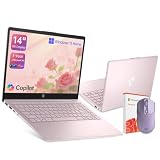
- - 15.6" Full HD IPS Narrow Bezel, Anti-glare Display - 1920 x 1080 resolution delivers incredible detail, wide-viewing angles, and lifelike color reproduction. AMD FreeSync Technology syncs your display and refresh rate so you get fluid, artifact-free visual performance at virtually any framerate. Keeps up with hybrid work styles with a thin and light design and 85% screen-to-body-ratio.
- - Connect and collaborate on your terms - When it comes to staying connected with friends or collaborating with others, this 15.6-inch HP business laptop understands the assignment. Wide dynamic range HD camera ensures you always look your best during virtual conferences, in both bright and low-light conditions. Effectively collaborate with the integrated camera and AI-based noise reduction with dual-array mics.
- - Complete Port Selection & Faster Connectivity - Stay connected with a variety of ports, including 1x USB Type-C (5Gbps signaling rate), 2x USB Type-A (5Gbps signaling rate), 1x Headphone/microphone combo, 1x HDMI 1.4b. Enjoy a smoother online experience with Wi-Fi 6 and Bluetooth 5.3 technology, providing faster data transfer speeds and more stable connections than previous generations.
- - AMD Ryzen 3 7330U Processor - This efficient 4-core, 8-thread, 8 MB L3 cache, and up to 4.3 GHz max boost clock processor is suitable for your everyday business tasks. Multitask, analyze data, focus on 1080p video chatting, and edit photos or videos smoothly with responsive performance and vibrant visuals.
- - Weighs 3.4 lbs. & Measures 0.73" thin - A stable design that fits perfectly in your lap and desk, so you're never tethered to one place. 3-cell, 41 Wh Li-ion polymer battery.

- 【POWERFUL AMD RYZEN 5 PERFORMANCE】 Powered by the AMD Ryzen 5 7430U processor featuring 6 cores, 12 threads, and speeds up to 4.3GHz. Designed to handle multitasking, business applications, video conferencing, online learning, and productivity workloads with smooth responsiveness and reliable efficiency throughout the day.
- 【EXPANSIVE 17.3" FULL HD IPS DISPLAY】 Enjoy a larger workspace on the 17.3-inch Full HD (1920 x 1080) IPS anti-glare display. The micro-edge bezel design and wide 178° viewing angles deliver crisp visuals, vibrant colors, and comfortable viewing for spreadsheets, presentations, streaming, and everyday computing.
- 【AI-ENHANCED PRODUCTIVITY WITH COPILOT】 Boost efficiency with the dedicated Copilot AI Key, providing instant access to intelligent assistance for content creation, email drafting, research, and workflow management. Combined with high-speed DDR4 memory and fast SSD storage, it delivers seamless multitasking performance.
- 【FAST CONNECTIVITY & MULTIPLE PORTS】 Stay connected with ultra-fast Wi-Fi 6 and Bluetooth 5.4 technology for reliable wireless performance. Equipped with USB-C, USB-A, HDMI, and additional connectivity options to support external monitors, accessories, and high-speed data transfers for a complete workstation setup.
- 【BUSINESS-READY WINDOWS 11 PRO】 Pre-installed with Windows 11 Pro for enhanced security, productivity, and professional-grade management features. Includes HP Fast Charge technology that restores up to 50% battery in approximately 45 minutes, plus a full-size keyboard with numeric keypad for efficient data entry and everyday business tasks.

- Vibrant Visuals: Enjoy vivid, accurate colors with up to 300 nits brightness on a spacious 15" display featuring a sleek 3‑sided narrow bezel.
- AI Productivity: Boost efficiency with Intel Core Ultra processors and NPU‑powered AI features designed to keep multitasking smooth and responsive.
- Smarter Shortcuts: Use the dedicated Copilot key for instant access to your AI assistant, helping you organize, search, and work faster every day.
- Eye Comfort: Dell ComfortView reduces blue‑light emissions to help keep your eyes comfortable during extended viewing.
- Ergonomic Angle: Lifted hinges enhance typing comfort and support better airflow, helping your system run smoothly.


- Efficient Performance: Powered by the Intel Core i5-1334U processor with up to 4.40 GHz speed, ensuring smooth multitasking and reliable performance for everyday tasks.
- Comprehensive Connectivity: Equipped with Wi-Fi 6, Bluetooth 5.3, multiple USB ports, HDMI, and a headphone/mic combo jack for versatile connections.
- Crisp and Clear Display: Features a 15.6" FHD Touch IPS anti-glare display with micro-edge design, delivering vibrant visuals and reduced eye strain.
- Enhanced Webcam and Audio: Includes an HP True Vision HD camera with AI noise removal, a privacy shutter, and microphone mute for clear and secure video calls.

- 【High Speed RAM And Enormous Space】16GB high-bandwidth RAM to smoothly run multiple applications and browser tabs all at once; 1TB PCIe NVMe M.2 Solid State Drive for fast boot up and data transfer
- 【Processor】13th Generation Intel Core i7-1355U Processor (10 Cores, 12 Threads, 12MB Intel Smart Cache, Base Frequency at 1.20 GHz, Up to 5.0 Ghz at Maximum Turbo Speed)
- 【Display】15.6" FHD (1920 x 1080) Anti-glare LED Backlight Touchscreen Narrow Border WVA Display
- 【Tech Specs】Wi-Fi 6 and Bluetooth, 1 x USB-A 2.0, 1 x USB-A 3.2 Gen 1, 1 x USB 3.2 Gen 1 Type-C, 1 x HDMI 1.4, 1 x Headphone & Microphone Audio Jack, 1 x Power jack, 1 x SD Card Reader, 1080P HD Webcam, Stereo speakers
- 【Operating System】Windows 11 Pro-Get all the features of Windows 11 Home operating system plus Mobile device management, Group Policy, Enterprise State Roaming, Assigned Access, Dynamic Provisioningm, Windows Update for Business, Kiosk mode, and Active Directory/Azure AD

- 【Unbeatable Assurance & Support for Your Laptop】Shop with confidence on this laptop on sale, backed by a 2-Year Warranty & 6-Month Return Policy. Get 24/7 online support and direct help at +1 800‑606‑1179 for peace of mind.
- 【Ready-to-Use System - Windows 11 Pro Laptop】Out-of-the-box productivity: This Windows 11 Pro laptop comes fully equipped with Windows 11 Pro and Office 365—no setup required, ready for work or study.
- 【Immersive 15.6" Display on Traditional Laptop Computers】Experience sharp, vibrant visuals on a 15.6-inch 1920×1080 IPS screen. This traditional laptop computer offers wide viewing angles perfect for work, streaming, and learning.
- 【Up to 6-Hour All-Day Battery Life for Laptops】Stay powered on the go with a 5000mAh battery supporting up to 6 hours of mixed use. An ideal laptop for business trips, classes, and daily mobility.
- 【180° Hinge Design - Flexible Use for Laptop Computer Windows 11】The 180° hinge allows the screen to lay flat, perfect for sharing content in team meetings. The integrated webcam, mic, and speakers ensure clear communication on every call—great for business work and college student use.

- 【AI & Powerful Performance】 The Lenovo ThinkBook 16 Gen 8 business laptop is equipped with Intel Core Ultra 7 255H Processor featuring 16 cores, 16 threads and 24 MB Intel Smart Cache, running at a base clock of 2.0 GHz and a max turbo frequency up to 5.1 GHz. Integrated advanced AI capabilities streamline daily workflows and boost overall productivity for diverse business tasks.
- 【Eye-Caring 16-inch Display】 This laptop comes with a 16-inch WUXGA (1920 x 1200) IPS display with a 16:10 aspect ratio, 60Hz refresh rate, 45% NTSC color gamut and 300-nit brightness. Certified by TÜV Eyesafe, it effectively relieves eye strain during long hours of screen time for prolonged business work.
- 【Ultra-Portable & Flexible for Business】 Boasting a streamlined lightweight body, the laptop features seamless portability and strong adaptability, perfectly catering to mobile office, business trips and on-site meetings for modern professionals.
- 【Comprehensive Data & Privacy Security】 Equipped with multi-layered security features, the laptop fully safeguards your business data and personal privacy, preventing information leakage and meeting high-level security demands for commercial usage.
- 【Long-Lasting Battery for Non-Stop Work】 Optimized power management delivers extended battery life, enabling all-day continuous work without frequent charging and eliminating power anxiety during outdoor business activities.

- [Powerful Performance for Everyday Tasks] Featuring a Dual-Core 6500Y Processor with Turbo Boost up to 3.4GHz, this laptop handles daily essentials seamlessly. Browse the web, stream videos, manage documents, and multitask between applications like email, spreadsheets, and presentations without slowdowns.
- [16GB RAM | 256GB SSD] This VIGSENUP laptop pairs 16GB of RAM with a 256GB M.2 SSD for seamless multitasking and instant app loading. Experience blazing-fast boot times and quick file transfers without the wait. Pre-installed with essential office suite software, it’s ideal for efficiently managing study materials or running essential business applications.
- [Immersive Display, Ultimate Privacy Protection ]This W11 laptop features a 15.6-inch 1080p IPS display for vibrant clarity, perfect for movies, presentations, document editing, and web browsing—all with sharp detail and reduced eye strain. The centrally located front camera includes a physical privacy shutter, so you have full control over your privacy during photos and video calls.
- [Seamless Connection] Stay connected with this laptop's support for WiFi 5 and Bluetooth 5.0. It provides a versatile port selection including: 2x USB 3.2, 1x HDMI 1.4, 1x USB 2.0, 1x Headphone/Microphone Combo Jack, 1x TF (MicroSD) Card Reader, and 1x Kensington Lock Slot for added physical security. This W 11 laptop lets you connect monitors, external drives, peripherals, and secure the device in shared spaces.
- [Ultra-portable Design]This portable laptop blends style and practicality perfectly. At just 21mm thin and 1.7kg light, it's easy to move between workspaces. With a 38Wh battery, you can take this laptop to cafes, classrooms, or business meetings without sacrificing performance.
The Ultimate Buying Guide for Business SSDs
Choosing the right Solid State Drive (SSD) for your business is important. A fast SSD makes computers run quickly. This helps employees work better and finish tasks faster. This guide will help you pick the best drive for your company’s needs.
Key Features to Look For
When you buy a business SSD, certain features matter most. These features affect speed, reliability, and how long the drive lasts.
Speed and Performance
- Sequential Read/Write Speeds: These numbers show how fast the drive moves large files. Higher numbers mean quicker loading times for big programs and data sets. Look for drives offering 500MB/s or more for everyday tasks.
- IOPS (Input/Output Operations Per Second): IOPS measure how quickly the drive handles many small requests at once. This is vital for busy servers and multitasking employees. Higher IOPS mean smoother performance under heavy load.
Endurance and Reliability
- TBW (Total Bytes Written): This tells you how much data you can write to the drive before it might start wearing out. Businesses write a lot of data. Choose a higher TBW rating for demanding roles like video editing or database management.
- Power Loss Protection (PLP): This is a crucial feature for business drives. If the power suddenly goes out, PLP ensures that any data being saved finishes writing to the drive. This prevents data corruption.
Form Factor and Interface
- M.2 vs. 2.5-inch SATA: M.2 drives are smaller and often faster (using the NVMe protocol). 2.5-inch drives are common and fit in older systems. Check what your computer or server slot supports.
- NVMe vs. SATA: NVMe drives connect directly to the motherboard via PCIe slots, making them much faster than older SATA connections. For peak performance, always choose NVMe.
Important Materials and Construction
The materials inside the SSD greatly affect its lifespan and speed. SSDs use NAND flash memory chips to store data.
NAND Type
- TLC (Triple-Level Cell): This is common. It stores three bits per cell. It balances cost and performance well for general office use.
- MLC (Multi-Level Cell): This stores two bits per cell. MLC drives generally last longer and perform better under intense writing cycles than TLC drives. They are often used in high-end servers.
DRAM Cache
A good business SSD includes a DRAM cache. This is a small, fast memory area that helps the drive manage where data is stored quickly. Drives without DRAM (DRAM-less) are cheaper but slow down significantly when heavily used.
Factors That Improve or Reduce Quality
Quality in a business SSD relates directly to its ability to handle constant work without failing or slowing down.
Improving Quality:
- Drives with **end-to-end data path protection** check data integrity constantly.
- **Over-provisioning** reserves extra space on the drive just for management tasks, keeping the user area fast.
- Using **enterprise-grade controllers** helps manage wear leveling efficiently across all memory chips.
Reducing Quality (What to Avoid):
- Using very **low-quality, low-cost QLC NAND** (Quad-Level Cell) for primary business storage. QLC has lower endurance.
- Drives that **lack proper heat dissipation** can throttle performance when they get too hot.
User Experience and Use Cases
The best SSD depends on what your employees actually do.
General Office Work (Email, Documents):
A standard SATA or entry-level NVMe drive with good sequential speeds works well. Endurance requirements are moderate.
High-Demand Workstations (CAD, Video Editing):
These users need the fastest NVMe drives available, focusing on very high IOPS and high TBW ratings. Reliability is paramount here.
Server and Database Use:
These environments require enterprise-grade drives. Look for features like PLP, high MLC/eMLC NAND, and guaranteed performance metrics under constant load.
Business SSD Buying Guide FAQs
Q: Why are business SSDs different from consumer SSDs?
A: Business SSDs have better endurance (higher TBW), stronger error correction, and often include features like Power Loss Protection (PLP). They are built to run 24/7 reliably.
Q: What is the most important speed measurement for a database server?
A: IOPS (Input/Output Operations Per Second) is the most important measurement for servers. It shows how well the drive handles many small, random requests that databases constantly generate.
Q: Should I buy an NVMe SSD instead of a SATA SSD?
A: Yes, if your system supports it. NVMe drives connect directly to the motherboard and are significantly faster than older SATA drives. This means faster boot times and quicker application loading.
Q: What does “endurance” mean for an SSD?
A: Endurance is how much data the drive can handle being written to it over its lifetime. It is measured in TBW (Total Bytes Written). Higher TBW means the drive lasts longer under heavy use.
Q: Is DRAM cache necessary in a business drive?
A: Yes, for serious business use. The DRAM cache helps the drive map data locations quickly. Drives without it can slow down severely when they get full or are under heavy load.
Q: How do I check if my computer supports M.2 NVMe drives?
A: You should check your computer or server’s manual or motherboard specifications. Older machines might only support 2.5-inch SATA drives, while newer ones usually support M.2 slots, sometimes both SATA and NVMe types.
Q: What is Power Loss Protection (PLP)?
A: PLP uses capacitors to give the drive enough power to finish saving any data currently in its temporary memory (cache) if the main power cuts out unexpectedly. This stops data loss or corruption.
Q: Should I worry about the NAND type (TLC vs. MLC)?
A: Yes. MLC lasts longer than TLC for constant writing tasks, making it better for servers. TLC is fine for standard office workstations where writing is less constant.
Q: Do SSDs get slower as they fill up?
A: Sometimes. If a drive gets very full (over 80-90% capacity), performance can drop because the controller has less free space to manage wear leveling and background tasks efficiently.
Q: Are enterprise SSDs much more expensive than regular ones?
A: Yes, they cost more. This extra cost pays for higher reliability, better components (like MLC NAND), and advanced features like PLP, which are essential to avoid costly downtime in a business setting.