
Maximize Battery Life: How Long To Charge A Golf Cart
Charging a golf cart fully can take 8 to 12 hours if it uses lead-acid batteries and is very low on power. For golf carts with lithium-ion batteries, a full charge might only take 2 to 6 hours. The exact time depends on the type of battery, how powerful your charger is, and how much charge is already in the battery. Making sure you charge your golf cart the right way is key to keeping its batteries healthy and making them last a long time.
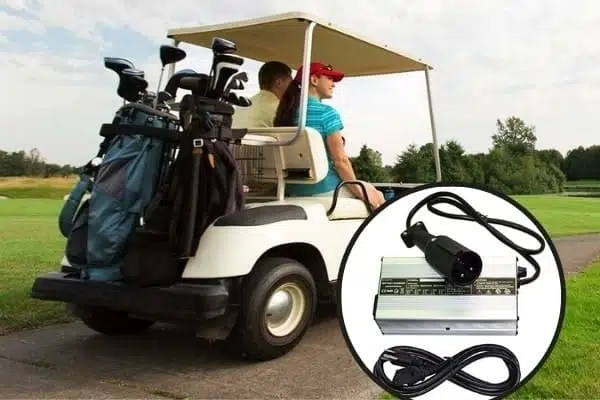
Image Source: manlybattery.com
The Heart of Charging Your Golf Cart
Charging your golf cart is not just about plugging it in. It involves knowing your battery type, using the right charger, and following smart charging habits. This care helps your golf cart run well for years.
Knowing Your Golf Cart Battery Type
Before you charge, it’s vital to know what kind of batteries your golf cart has. This is because different types need different care. The golf cart battery type mostly falls into two groups: lead-acid and lithium-ion. Each has its own way of charging.
Lead-Acid Batteries
Most older golf carts and many new ones use lead-acid batteries. These batteries are strong and have been around a long time. They work by using a chemical reaction between lead plates and a liquid acid solution. There are a few kinds of lead-acid batteries:
- Flooded (Wet Cell) Batteries: These are the most common. They have caps you can remove to add distilled water. This water covers the battery plates. They are tough and work well if you keep them full of water. They need regular checks.
- AGM (Absorbed Glass Mat) Batteries: These batteries have a special mat that soaks up the acid. This means they do not leak and do not need water added. They cost more but are easier to care for. They are also more resistant to bumps and shakes.
- Gel Cell Batteries: These batteries use a gel instead of liquid acid. Like AGM, they do not need water and do not leak. They are good for certain uses but need a very specific charger to avoid damage. They are also more costly.
Lead-acid batteries are built to give a steady flow of power over a long time. They are called “deep cycle” batteries because they can be drained quite a bit and then charged back up many times.
Lithium-Ion Batteries
Lithium-ion batteries are becoming more popular in golf carts. They are a newer option and come with many benefits.
- Lighter Weight: They weigh much less than lead-acid batteries. This makes the golf cart lighter, which can save power.
- Faster Charging: They charge much quicker. This is a big plus if you use your cart often.
- Longer Life: They can go through many more charge and discharge cycles. This means they last longer before needing to be replaced.
- No Maintenance: They do not need water added or terminals cleaned as often.
- Constant Power: They give a steady amount of power even as the battery runs low. Lead-acid batteries tend to get weaker as they run down.
While lithium-ion batteries cost more upfront, their long life and easy care often make them a good deal over time. They also come with a special system called a Battery Management System (BMS). This system looks after the battery, making sure it charges safely and works well.
The Role of Your Golf Cart Charger Specifications
Using the right charger is just as important as knowing your battery type. The golf cart charger specifications must match your golf cart’s needs. If they do not, you could harm your batteries or not charge them well.
Matching Charger to Battery Voltage
Every golf cart has a certain golf cart battery voltage. Common voltages are 36V, 48V, and sometimes 72V. Your charger must put out the exact same voltage.
- 36V Golf Carts: These often have six 6-volt batteries linked together. They need a 36-volt charger.
- 48V Golf Carts: These might have four 12-volt batteries, six 8-volt batteries, or eight 6-volt batteries. They need a 48-volt charger.
- 72V Golf Carts: These are less common but use higher voltage batteries. They need a 72-volt charger.
Using a charger with the wrong voltage can damage your batteries or charger. Always check your golf cart’s voltage and your charger’s output voltage to make sure they match.
Charger Amperage
Charger amperage tells you how much electric current the charger can send to the batteries. Higher amperage means faster charging.
- A charger with a higher amp output (e.g., 20 amps) will charge batteries faster than one with a lower output (e.g., 10 amps).
- However, too high an amp output can sometimes hurt smaller batteries or make them hot. Most golf cart chargers are set to a safe amp level for typical batteries.
The main thing is to use a charger that matches your battery type and voltage. Modern chargers are usually “smart” chargers. This means they have built-in brains to manage the charging process.
Automatic Chargers vs. Manual Chargers
- Automatic Chargers: Most new golf cart chargers are automatic. They stop charging when the battery is full. This helps prevent overcharging golf cart battery. They often have a light that changes color to show when charging is done. These are much safer and easier to use.
- Manual Chargers: Older or very basic chargers might be manual. You have to watch them and unplug them when the battery is full. Using these means you risk overcharging if you are not careful. Always choose an automatic charger if you can.
The Charging Process: Deciphering Deep Cycle Battery Charging
Deep cycle battery charging is a special process. These batteries are meant to be drained and recharged many times. To charge them right, automatic chargers follow a few steps. This helps the battery get a full charge without damage.
Stages of Charging
Most good chargers use a multi-stage charging process:
- Bulk Phase: This is the first and fastest stage. The charger sends a lot of current to the battery. It charges the battery from empty up to about 80% of its full power. During this stage, the battery voltage goes up.
- Absorption Phase: Once the battery is mostly full (around 80%), the charger slows down. It keeps the voltage steady but reduces the current. This gently tops off the battery to 100%. This stage makes sure the battery gets fully charged without getting too hot. This part of the charge can take as long as the bulk stage, even though it’s only topping off the last 20%.
- Float Phase: After the battery is completely full, the charger goes into the float stage. It sends a very small amount of current to the battery. This just keeps the battery full and ready to go. It makes up for any tiny power loss the battery has on its own. It’s like a trickle charge. This is what allows you to leave modern chargers plugged in.
These stages are key for the health of your batteries. They make sure the battery gets enough charge without stress. This also ties into electric golf cart charging cycles. A cycle means one full drain and recharge. Charging correctly makes each cycle count and prolongs the battery’s life.
Knowing Your Golf Cart Battery State of Charge
It’s important to know how much power your batteries have left. This is called the golf cart battery state of charge. Knowing this helps you decide when to charge and prevents you from running the batteries too low.
Reading Battery Meters
Most golf carts have a fuel gauge-like meter. This meter shows how much charge is left.
- Digital Meters: These give a number, like 80% or 50%. They are easy to read.
- Analog Meters: These have a needle that points to a full or empty mark.
These meters are a good guide, but they are not always perfectly exact, especially for lead-acid batteries. The voltage of lead-acid batteries can drop when under load (when you are driving), then go up again when you stop. This can make the meter seem to jump around.
Using a Hydrometer for Lead-Acid
For flooded lead-acid batteries, a hydrometer is the best way to know the true state of charge. A hydrometer measures the density of the acid in each battery cell.
- A higher density means more acid and more charge.
- A lower density means more water and less charge.
You use a hydrometer by taking a small sample of the battery fluid from each cell. You can look up a chart to see what the reading means for the charge level. This is the most accurate way to check lead-acid batteries. If the readings are different across cells, it can mean a problem with one of the batteries.
It’s best not to let your lead-acid golf cart batteries drop below 50% state of charge often. Letting them go too low (deep discharging) shortens their life. For lithium-ion batteries, it’s generally fine to use more of their capacity, but also avoid draining them completely if you can help it.
The Dangers of Overcharging Golf Cart Battery
One of the worst things you can do to a lead-acid battery is to overcharging golf cart battery. This happens when the charger keeps pushing current into a battery that is already full.
What Happens When You Overcharge
- Heat Damage: Overcharging makes the battery get very hot. Too much heat can damage the internal parts of the battery.
- Water Loss: For flooded lead-acid batteries, overcharging causes the water inside to boil away quickly. This leaves the battery plates exposed, which damages them for good.
- Plate Damage: The heat and loss of water can warp or break the lead plates inside the battery. This reduces the battery’s ability to hold a charge.
- Shorter Life: All these problems mean the battery will not last as long. You will have to buy new batteries much sooner.
Signs of Overcharging
- Strong Rotten Egg Smell: This is hydrogen sulfide gas, a very clear sign of overcharging. This gas can also be dangerous in a closed space.
- Hot Battery Cases: If the batteries feel very hot to the touch.
- Bulging Battery Cases: The battery case might swell or bulge. This is a very serious sign of damage.
- Excessive Water Loss (Flooded Batteries): If you are always adding water to your flooded batteries, it could be a sign of overcharging.
How to Prevent It
- Use an Automatic Charger: This is the best way. Automatic chargers stop or reduce power when the battery is full.
- Do Not Leave Old Chargers Plugged In: If you have a very old, non-automatic charger, unplug it as soon as the battery is full.
- Check Your Charger: Make sure your charger is working correctly. If it feels too hot or makes strange noises, get it checked.
- Monitor Water Levels: For flooded batteries, check water levels often. If they are dropping very fast, you might be overcharging.
Overcharging lithium-ion batteries is rare with their built-in Battery Management Systems (BMS). The BMS prevents overcharging by stopping the current flow when the battery is full.
Speedy Power: Lithium-Ion Golf Cart Charging
As mentioned, lithium-ion golf cart charging is very different from lead-acid. These batteries offer many benefits, especially in how they charge.
- Much Faster Charge Times: Lithium-ion batteries can accept a charge at a higher rate. This means they charge from empty to full in a few hours, not 8-12. This is great for people who use their golf cart many times a day.
- No Memory Effect: Lithium-ion batteries do not suffer from something called “memory effect.” This means you can charge them at any state of charge without hurting them. You do not have to drain them to a certain point before charging.
- Specific Chargers Needed: You cannot use a lead-acid charger for lithium-ion batteries. Lithium-ion batteries need a special charger made for them. This charger works with the battery’s Battery Management System (BMS).
- Battery Management System (BMS): Every lithium-ion golf cart battery has a BMS. This is like the brain of the battery. It does many things:
- It stops charging when the battery is full to prevent overcharging.
- It stops the battery from getting too low (over-discharging).
- It balances the cells in the battery pack, making sure they all have equal charge.
- It protects the battery from getting too hot or too cold.
- It protects against short circuits.
The BMS makes lithium-ion batteries very safe and easy to use. You just plug them in, and the system handles the rest. This takes away much of the worry about charging habits.
Smart Ways to Maximize Golf Cart Battery Life
Whether you have lead-acid or lithium-ion, good care helps in maximizing golf cart battery life. Batteries are costly, so making them last longer saves you money.
- Charge Often: It is better to charge your golf cart batteries after each use, especially if you have lead-acid batteries. Do not wait for them to be nearly empty. Frequent, shallow charges are better than deep discharges for lead-acid.
- Avoid Extreme Temperatures: Batteries work best at moderate temperatures. Very hot or very cold weather can hurt them.
- Hot Weather: Heat makes batteries work harder and can speed up water loss in lead-acid batteries. Try to park your golf cart in a cool, shady spot.
- Cold Weather: Cold reduces a battery’s power. It can also make charging less effective. If your cart is stored in a very cold place, the battery might not fully charge. Try to keep batteries above freezing.
- Proper Storage: If you will not use your golf cart for a long time (weeks or months), store it properly.
- Lead-Acid: Charge them fully, then disconnect the main battery cable (or use a battery maintainer). Check the charge every month and top it off if needed.
- Lithium-Ion: Follow the maker’s storage instructions. They usually need to be stored at about 50-60% charge, and the BMS will protect them.
- Avoid Deep Discharges: For lead-acid batteries, try not to let them drop below 50% charge. Every time you drain them very low, it uses up a cycle. Lithium-ion batteries are more forgiving, but avoiding complete drains is still good practice.
- Keep Them Clean: Dirt, dust, and acid buildup on battery tops can make them discharge slowly. Clean them regularly.
By following these tips, you can greatly extend how long your golf cart batteries will last.
Essential Golf Cart Battery Maintenance Tips
Good battery care is not just about charging. It also includes regular checks and cleaning. Here are some golf cart battery maintenance tips:
- Clean Terminals: Battery terminals can get dirty or corrode (get a white or blue powder on them). This dirt stops power from flowing well.
- How to Clean: Use a mixture of baking soda and water (about one cup baking soda to a gallon of water). Pour it over the terminals. It will fizz. Use a wire brush to scrub away the dirt. Rinse with clean water and dry with a cloth.
- Why Clean: Clean terminals ensure a good electrical connection.
- Check Connections: Make sure all the cables connecting your batteries are tight. Loose connections can cause power loss, heat, and even damage. Use a wrench to gently tighten nuts on the terminals. Do not overtighten.
- Add Distilled Water (Flooded Lead-Acid Only): This is a critical step for flooded lead-acid batteries.
- When to Add: Check water levels about once a month, or more often in hot weather or with heavy use. The water level should be above the lead plates.
- What to Add: Only use distilled water. Tap water has minerals that can harm the battery.
- How to Add: Fill just enough to cover the plates, then charge the battery fully. After charging, fill to the correct level (usually marked inside the battery cell, or about 1/4 to 1/2 inch below the cap). Never fill to the top before charging, as the water level will rise.
- Equalization Charges (Flooded Lead-Acid Only): Over time, the cells in a lead-acid battery pack can get out of balance. Some cells might have less charge than others. An equalization charge helps fix this.
- What it is: It is a controlled overcharge at a higher voltage for a short time. This helps to remove sulfate crystals that can build up on the plates and balances the cells.
- When to Do It: Do this every few months, or if you notice your batteries are not holding a charge well. Check your charger’s manual; some automatic chargers have an equalization mode.
- Caution: Only do this if your charger has an equalization feature and you know how to do it safely. Do not do this for AGM, Gel, or Lithium-ion batteries.
- Regular Visual Checks: Every few weeks, just look at your batteries. Look for cracks, leaks, bulging, or very dirty terminals. Catching problems early can prevent bigger issues.
By sticking to a routine of care and smart charging, your golf cart batteries will serve you well for a long time. It is an investment that pays off in reliable rides and fewer replacement costs.
Summary of Charging Times and Factors
To put it simply, here is a quick guide to how long golf carts usually take to charge:
| Battery Type | Typical Charge Time (Empty to Full) | Key Features for Charging |
|---|---|---|
| Lead-Acid | 8-12 hours | Needs multi-stage charger, check water, avoid deep drains, prevent overcharging. |
| Lithium-Ion | 2-6 hours | Fast charge, built-in BMS protects against overcharging, no maintenance. |
Remember, these are averages. A golf cart that is only half-drained will take less time to charge. A less powerful charger will also take longer. Always follow the specific instructions that come with your golf cart and its charger.
Frequently Asked Questions (FAQ)
Q1: Can I leave my golf cart plugged in all the time?
A1: Yes, if you have a modern, automatic golf cart charger. These chargers have a “float” mode that keeps the battery topped off without overcharging. It’s safe to leave your cart plugged in when not in use. However, if you have an old, non-automatic charger, you should unplug it once the battery is full to prevent damage.
Q2: How often should I charge my golf cart?
A2: For lead-acid batteries, it’s best to charge after every use, even if you only drove it a short distance. This helps keep the batteries healthy and prevents deep discharges. For lithium-ion batteries, you have more flexibility; you can charge them as needed, even if they are only half-empty, without harming them.
Q3: What happens if I don’t charge my golf cart for a long time?
A3: If you leave a golf cart uncharged for a long time, especially with lead-acid batteries, they will slowly lose their charge (self-discharge). If they sit empty, they can develop “sulfation,” which makes them unable to hold a charge anymore. This can ruin the batteries. Always store batteries fully charged for lead-acid, or at the recommended charge level for lithium-ion.
Q4: Do new golf cart batteries need a special charge?
A4: Yes, new lead-acid batteries often need an “initial charge” or “break-in charge.” This is usually a longer, slower charge (sometimes 12-16 hours) to make sure all cells are fully active and balanced. Follow the battery maker’s instructions for this first charge. New lithium-ion batteries typically come ready to use and do not need a special break-in charge beyond their first normal charge.
Q5: How do I know my golf cart battery is fully charged?
A5: For most modern automatic chargers, there will be a light that changes color (e.g., from red to green) or turns off when charging is complete. For lead-acid batteries, you can also check the voltage of the whole pack, or use a hydrometer to check the specific gravity of each cell, which is the most accurate way. A fully charged 48V lead-acid system will be around 50.9V or higher. Lithium-ion batteries have a built-in BMS that signals full charge to the charger.