
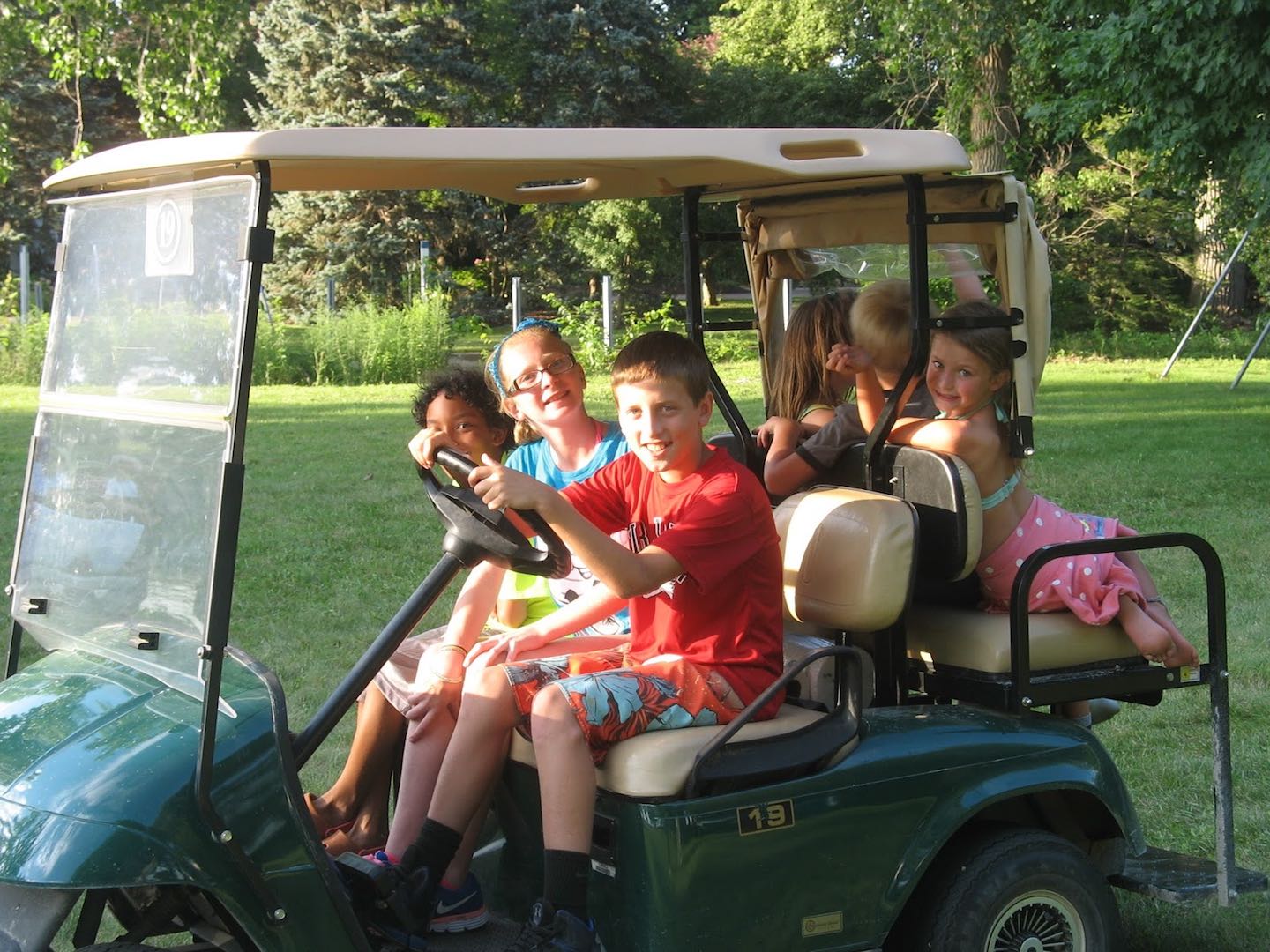
Image Source: jsgolfcarts.com
Beginner’s Guide: How Do You Drive A Golf Cart?
To drive a golf cart, you first get in and check the area around you. Turn the key to the “on” position. For an electric cart, move the gear switch to “forward” or “reverse.” Then, gently press the accelerator pedal. For a gas cart, you do the same after starting the engine. You steer with the wheel. Use the brake pedal to slow down or stop. Always look for people and things that might be in your way. This guide is a golf cart beginner guide. It will help you learn golf cart operation from start to finish.
Getting Started with Golf Cart Operation
Learning to drive a golf cart is easy for most people. These small vehicles are fun. They are handy for many tasks. You can use them on golf courses. People use them in gated communities, parks, and even on some public roads. This guide will walk you through everything. You will learn how to get moving. You will also learn how to stop safely. We will look at both electric and gas carts. We will cover golf cart controls and important golf cart safety tips.
H4: Your First Look at Golf Carts
Golf carts come in two main types.
* Electric Golf Carts: These carts run on batteries. They are quiet. They do not make fumes. You plug them in to charge.
* Gas Golf Carts: These carts run on gasoline. They have an engine. They make noise. They need fuel, just like a car.
The steps to drive each type are mostly the same. There are a few key differences. We will look at those.
Before You Get Moving: Your First Steps
Safety starts before you even turn the key. A quick check helps prevent problems.
H4: Getting Ready for a Safe Trip
Always do a quick check before you drive. This makes sure your ride is safe.
- Check the Tires: Look at all four tires. Do they look flat? Are they low on air? Good tires help you steer and stop well.
- Check Battery or Fuel:
- Electric Carts: Look at the battery meter. Is it full enough for your trip? You do not want to run out of power far from home.
- Gas Carts: Check the fuel gauge. Do you have enough gas? You do not want to stop in the middle of your journey.
- Test the Brakes: Sit in the cart. Press the brake pedal a few times. Does it feel firm? Does it work well? You must be able to stop your cart easily.
- Clear the Path: Look around the cart. Are there toys, rocks, or other things near the wheels? Remove them. Make sure nothing will get stuck.
H4: Getting Into the Cart
Get into the golf cart carefully.
- Open the Door (if it has one): Some carts have doors. Open them first.
- Sit Down Safely: Get in slowly. Do not jump in.
- Adjust the Seat (if possible): Some carts let you move the seat. Adjust it so you can reach the pedals easily. You should also be able to see well.
- Fasten Seatbelts (if present): Not all golf carts have seatbelts. If yours does, buckle up. This is a good safety habit.
Deciphering Golf Cart Controls
Golf carts have simple controls. They are much like a car. But they are usually less complex. Learning what each part does is key. This helps with golf cart operation.
H4: The Steering Wheel: How to Steer a Golf Cart
The steering wheel is how you guide your cart. It works like a car’s wheel.
- How it Works: Turn the wheel left to go left. Turn it right to go right.
- Hand Placement: Hold the wheel with both hands. Place your hands at the “9 and 3” position. This means one hand at where 9 would be on a clock, and the other at 3. This gives you good control.
- Smooth Movements: Do not jerk the wheel. Make small, smooth turns. This helps keep the cart steady. It also helps you steer a golf cart safely.
H4: Golf Cart Pedals: What Each One Does
Most golf carts have two pedals on the floor. These are very important golf cart controls.
- The Accelerator Pedal (Go Pedal):
- This is on the right.
- It makes the cart go faster.
- Press it down to speed up.
- Lift your foot to slow down.
- Always press it gently at first. Do not press it too hard. This helps avoid sudden jerks.
- The Brake Pedal (Stop Pedal):
- This is on the left.
- It makes the cart slow down or stop.
- Press it down to apply the brakes.
- Press it gently at first. Then press harder if you need to stop faster.
- Using the brake smoothly is important. It helps you stop without jarring movements.
H4: Golf Cart Forward Reverse Lever
This lever sets your direction. It is a vital part of golf cart controls.
- Location: The lever is usually between your legs. It might be on the dashboard. It could also be on the side of the seat.
- Positions: It has three common settings:
- F (Forward): This makes the cart go forward.
- N (Neutral): This means the cart will not move. It is good for starting a gas cart or for parking. It also allows the cart to be pushed freely.
- R (Reverse): This makes the cart go backward.
- How to Use:
- Always be stopped before you change direction.
- Move the lever firmly to the desired position.
- Never try to change from “forward” to “reverse” while moving. This can harm the cart’s parts. It can also make you lose control.
H4: The Ignition Key or Switch
This is how you turn the cart on and off.
- Location: It looks like a car’s ignition. It is usually on the dashboard.
- Positions:
- Off: The cart is off.
- On: The cart is ready to drive.
- Start (Gas Carts): Turn the key further to start the engine. Release it once the engine starts.
- Lights/Accessories (Optional): Some carts have a spot for lights or other things to work.
H4: Other Buttons and Switches
Your cart might have other controls.
- Lights: Headlights or taillights. Turn them on when it’s dim or dark.
- Horn: A button on the steering wheel. Use it to warn others.
- Choke (Gas Carts): Some gas carts have a choke. You use it to start the engine in cold weather.
- Parking Brake: A small lever or pedal. It holds the cart in place when parked. Always use it when you stop.
Starting an Electric Golf Cart: Step-by-Step
Driving an electric golf cart is very quiet and smooth. Here are the steps.
H4: Powering Up Your Electric Cart
- Get In and Adjust: Sit comfortably. Make sure you can reach the pedals easily.
- Key to “On”: Insert the key. Turn it to the “on” position. You might hear a soft click. The battery meter should light up.
- Check Battery Level: Look at the battery gauge. Make sure you have enough power.
H4: Choosing Your Direction: Forward or Reverse
- Set the Gear: Push the golf cart forward reverse lever. Move it to “F” for forward. Or move it to “R” for reverse. Make sure you are completely stopped before you change this.
H4: Moving Forward: Gentle Acceleration
- Foot on Accelerator: With the gear set, gently press the accelerator pedal. This is the pedal on the right.
- Smooth Start: The cart will start to move slowly. Press the pedal a little more to speed up. Press it smoothly. Do not stomp on it.
- Steer with Both Hands: Keep both hands on the steering wheel. Guide the cart in the direction you want to go.
H4: Mastering the Stop: Stopping a Golf Cart
- Lift Foot from Accelerator: To slow down, simply lift your foot from the accelerator pedal. The cart will naturally coast.
- Press Brake Pedal: To stop, gently press the brake pedal. This is the pedal on the left.
- Smooth Stop: Press the brake slowly at first. Then press harder if you need to stop faster.
- Engage Parking Brake: Once you are fully stopped, set the parking brake. This keeps the cart from rolling. Turn the key to “off.”
Driving a Gas Golf Cart: A Different Approach
Driving a gas golf cart is similar to an electric one. But there are a few key differences in how you start it. You will also notice the engine noise.
H4: Starting the Gas Engine
- Get In and Adjust: Sit comfortably.
- Key to “On”: Put the key in. Turn it to “on.”
- Use Choke (if needed): If it is cold, you might pull out the choke. This helps the engine start. Push it back in once the engine is warm.
- Key to “Start”: Turn the key further to “start.” Hold it until the engine begins to run. Then release the key. It will spring back to “on.”
- Let it Warm Up: Let the engine run for a moment before you drive. This helps it run smoothly.
H4: Differences in Acceleration and Braking
- Engine Noise: Gas carts are louder. You will hear the engine running.
- Vibration: You might feel slight vibrations from the engine.
- Fuel Gauge: Remember to check the fuel gauge.
- Acceleration: Gas carts might have a bit more immediate power. Still, press the accelerator gently. This is part of learning to drive a gas golf cart.
- Braking: Braking is the same as electric carts. Use the left pedal.
H4: Fueling Up Your Gas Cart
- Use the Right Fuel: Always use the type of gasoline your cart needs. Check the owner’s manual.
- Fill Safely: Turn the cart off before you fill the tank. Do not spill fuel.
Mastering Golf Cart Maneuvers
Once you know the basics, practice moving and turning.
H4: Turning and Cornering
- Slow Down First: Always slow down before you turn.
- Wide Turns: Golf carts can tip over if you turn too sharply or too fast. Make wide, gentle turns.
- Look Where You Go: Always look through the turn. Look for other carts or people.
H4: Reversing with Care
Reversing needs extra care. You are often looking over your shoulder.
- Change to “R”: Stop the cart. Move the golf cart forward reverse lever to “R” for reverse.
- Look Back: Turn your head. Look over your shoulder. Look out of the back window. Use mirrors if you have them. Always look where you are going.
- Go Slowly: Press the accelerator very gently. Go very slowly.
- Watch for Obstacles: Keep an eye out for anything behind you. People, walls, cars, or other carts.
- Use Your Horn: A quick beep can alert people behind you.
H4: Parking Your Golf Cart
Parking correctly helps keep your cart safe.
- Find a Level Spot: Park on flat ground if you can.
- Center the Steering Wheel: Make the steering wheel straight.
- Set the Gear: Move the golf cart forward reverse lever to “N” (neutral). Or leave it in “F” or “R” if you prefer and are on flat ground. Setting it to “N” is often safer.
- Engage Parking Brake: Always set the parking brake. This is very important. It keeps the cart from rolling away.
- Turn Off the Key: Turn the key to the “off” position. Remove the key if you are leaving the cart for a while.
Crucial Golf Cart Safety Tips
Golf cart safety tips are very important. They keep you and others safe. Treat a golf cart like any other vehicle. It can cause harm if not driven carefully.
H4: Always Look Around You
- Check for People: Always look for walkers, children, and pets. They might not hear a quiet electric cart.
- Look for Other Carts: Golf courses and communities often have many carts. Watch out for them.
- Spot Obstacles: Look for holes, bumps, rocks, or other things in your path.
H4: Control Your Speed
- Go Slow: Golf carts are not built for speed. Drive at a safe, slow pace.
- Slow for Turns: As mentioned, slow down a lot before turning.
- Rough Ground: Drive very slowly on bumpy or uneven ground.
H4: Keep All Parts Inside
- Arms and Legs: Keep your arms, legs, and feet inside the cart at all times.
- Children and Pets: Make sure children and pets are seated. Keep them inside the cart. Do not let them stand or hang out.
H4: Avoid Overloading
- Passenger Limits: Do not carry more people than the cart is made for. Most carts hold 2 or 4 people.
- Weight Limits: Do not put too much weight in the cart. This includes people and things. Too much weight makes it hard to steer and stop. It can also damage the cart.
H4: Drive Sober and Alert
- No Alcohol or Drugs: Never drive a golf cart if you have been drinking alcohol or using drugs. It is just as dangerous as driving a car this way.
- Stay Awake: Do not drive if you are very tired. Stay alert and focused.
H4: Watch Out for Children and Pets
- Children are Small: Children can be hard to see. They move quickly.
- Pets Can Run: Pets can dart out. Always be ready to stop for them.
- Be Patient: Give kids and pets plenty of room.
H4: Respect the Rules of the Road (or Course)
- Follow Signs: Pay attention to all signs. These tell you where to go and how fast.
- Stay on Paths: Drive only on approved paths, roads, or courses. Do not drive on grass where you are not supposed to.
- Yield to Others: Give way to other carts, cars, and walkers.
- Use Hand Signals: If you do not have turn signals, use hand signals like a bike rider.
H4: Bad Weather Driving
- Rain/Wet Conditions: Go extra slow in rain. Surfaces are slick. Brakes might not work as well.
- Poor Visibility: Use your lights if it is foggy or dark.
- Avoid Storms: Do not drive during lightning storms. Get to shelter.
Golf Cart Beginner Guide: Key Takeaways
Driving a golf cart is fun. It is also a responsibility. Always put safety first. Practice makes you a better driver. Here is a simple table to sum up the main differences.
| Feature | Electric Golf Cart | Gas Golf Cart |
|---|---|---|
| Power Source | Rechargeable Batteries | Gasoline Engine |
| Noise Level | Very quiet | Louder, engine sounds when running |
| Fumes | No exhaust fumes | Emits exhaust fumes |
| Maintenance | Battery care (charging, water checks), tire pressure | Engine oil, fuel filter, spark plugs, tire pressure |
| Fueling | Plug into an electrical outlet to charge | Fill with gasoline at a pump |
| Range | Limited by battery charge, usually 20-40 miles | Limited by fuel tank size, usually 100-200 miles |
| Starting | Key to “on”, press accelerator | Key to “start”, engine turns over |
Basic Care for Your Golf Cart
A well-kept cart is a safe cart. A little care goes a long way.
H4: Battery Check-ups (Electric)
- Charge Often: Charge your electric cart after each use. Do not let the battery run completely empty.
- Check Water Levels: If your batteries are not sealed, check the water level often. Add distilled water if it is low. Wear gloves and eye protection.
H4: Fuel and Oil Checks (Gas)
- Check Engine Oil: Look at the engine oil level regularly. Add oil if it is low.
- Keep Tank Full: Do not let the gas tank get too low. This can be bad for the fuel pump.
H4: Tire Care
- Keep Tires Inflated: Check your tire pressure often. Use a tire gauge. Proper pressure makes the cart ride better. It also helps tires last longer.
- Look for Damage: Look at the tires for cuts or bulges.
Frequently Asked Questions (FAQ)
H4: How fast do golf carts go?
Most standard golf carts go between 10 to 25 miles per hour (MPH). The speed depends on the model. It also depends on whether it is electric or gas. It can also change based on how much weight is in it.
H4: Do I need a license to drive a golf cart?
It depends on where you are driving. On private property like a golf course, you usually do not need a driver’s license. But if you drive on public roads, most places require a valid driver’s license. Some areas may have age limits for golf cart drivers. Always check local laws.
H4: Can golf carts go on roads?
In many areas, golf carts can go on certain public roads. These are often called “low-speed vehicles” (LSVs). They must follow specific rules. They might need headlights, taillights, turn signals, and seatbelts. Always check your local city or county laws. Do this before driving a golf cart on any public road.
H4: What happens if an electric golf cart runs out of battery?
If an electric golf cart runs out of battery, it will simply stop. It will not make any noise. You will not be able to press the accelerator to move it. You will need to charge it. Or you will need to push it to a charging spot. Some carts will slow down a lot before stopping completely. This is a warning sign.
H4: How often should I charge my electric golf cart?
You should charge your electric golf cart after each use. Even if you only drive a short distance, a full charge keeps the batteries healthy. It is best not to let the batteries drain completely. This can make them wear out faster. Fully charging them after each use is a good habit.
H4: Is driving a golf cart hard?
No, driving a golf cart is generally easy. The controls are simple. Most people can learn to drive one quickly. It is much simpler than driving a car. The main thing is to be safe and pay attention. Practice helps you get used to the feel of it.