
As an Amazon Associate I earn from qualifying purchases.
Choosing 3D scanners can be difficult because speed, accuracy, portability and object size all affect the right fit. A scanner for detailed 3D printing work may not suit a beginner or someone scanning large objects outdoors.
Pay attention to the stated accuracy, scanning modes, tracking features and workflow. Wireless operation, full-colour capture, marker-free scanning and built-in processing can also make a noticeable difference in real use.
These five picks cover several distinct needs rather than repeating similar models. The selection includes all-in-one hardware, high-speed precision scanning, AI-assisted workflows, beginner-friendly wireless use and a desktop option for dark or reflective objects.
Each review explains what sets the scanner apart, where its listed features fit best and which type of user should consider it.
Our Top 5 3D Scanners Picks at a Glance
| Product | ||
|---|---|---|
 |
Revopoint MIRACO Plus 3D Scanner All-in-one large-object scanning |
Check Price |
 |
Creality Raptor Pro 3D Scanner High-precision wireless scanning |
Check Price |
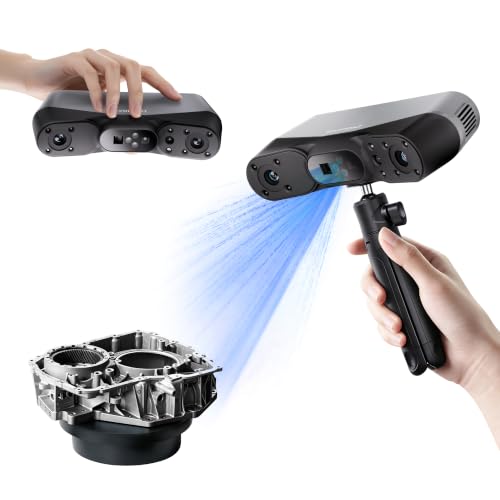 |
Revopoint POP 4 3D Scanner Fast AI-assisted scanning |
Check Price |
 |
Creality CR-Scan Ferret Pro Beginner-friendly full-colour scans |
Check Price |
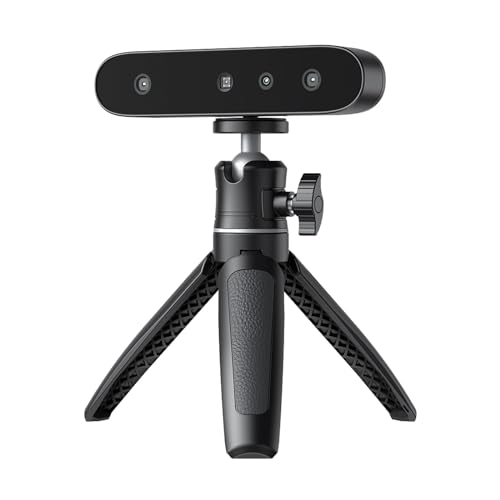 |
Creality CR-Ferret SE 3D Scanner Dark and reflective objects |
Check Price |
Top 5 3D Scanners: Detailed Reviews
1. Revopoint MIRACO Plus 3D Scanner
The Revopoint MIRACO Plus is an all-in-one option among 3D Scanners for projects ranging from small parts to large objects. Its integrated photogrammetric metrology and improved calibration board can reach 0.04 mm single-point accuracy, helping preserve small details on larger scans. The quad depth cameras support versatile capture, while enhanced infrared optics reduce noise and improve smoothness at 1.5x and 2x magnification. A 48MP RGB camera with flash LEDs supports colour scans. Its 8-core processor, 32GB RAM, 256GB storage and built-in processing reduce reliance on a computer.
What We Like:
- Photogrammetric metrology helps capture fine details on large objects.
- Improved optics produce smoother, less noisy surface data.
- Single-shot and up to 20 fps continuous modes suit different subjects.
- Built-in processing and 256GB storage support a self-contained workflow.
- At 750g, it is practical to hold during scans.
What Could Be Improved:
- Two hours of continuous battery life may limit lengthy scanning sessions.
- The 750g body could still feel tiring during extended one-handed use.
- Its advanced processing and photogrammetry features may be unnecessary for simple, occasional scans.
Buy the Revopoint MIRACO Plus if you need one portable scanner for varied object sizes, detailed capture and outdoor work, with processing handled on the device. It suits serious 3D printing and prototyping workflows. Skip it if you only scan simple objects occasionally or prefer a lighter, more basic scanner.
2. Creality Raptor Pro 3D Scanner
Among 3D Scanners, the Creality Raptor Pro stands out for combining high stated precision with fast capture and wireless flexibility. It can reach 0.02mm accuracy in laboratory conditions, while scanning at up to 60 frames per second and 660,000 points per second. Its 5mm-to-2000mm scanning range suits both small details and larger objects. The included Scan Bridge supports wireless scanning, while full-colour mapping preserves realistic textures. Marker-based alignment also helps you stitch multiple scans together more smoothly.
What We Like:
- Laboratory accuracy of 0.02mm suits intricate details.
- 60FPS scanning and 660,000 points per second support faster capture.
- Wireless accessory compatibility makes scanning more convenient.
- The 5mm-to-2000mm range covers small and large objects.
- Full-colour mapping and marker alignment improve scan reproduction and stitching.
What Could Be Improved:
- The 0.02mm accuracy applies to laboratory conditions, so real-world results may differ.
- Marker-based alignment requires you to use markers for seamless multi-scan stitching.
- Wireless scanning depends on compatible accessories, so not every setup will be cable-free.
Buy the Raptor Pro if you need detailed scans across a broad object-size range and value fast capture, colour mapping, and wireless accessory support. It suits 3D printing, prototyping, and users who work with intricate surfaces. Skip it if you need guaranteed 0.02mm accuracy outside laboratory conditions or prefer a simpler setup.
3. Revopoint POP 4 3D Scanner
The Revopoint POP 4 is a versatile option among 3D Scanners for 3D printing and prototyping, covering objects from 10 × 10 × 10 mm up to 2 × 2 × 2 m. Its blue laser mode reaches up to 105 FPS with NVIDIA GPU acceleration, while full-field structured light captures up to 5,000,000 points per second. Windows users can use AI segmentation to isolate the subject and filter background noise. Five scanning modes handle fine, rapid, dark, reflective and outdoor work, with accuracy up to 0.03 mm.
What We Like:
- Up to 105 FPS helps capture moving scans more smoothly.
- AI segmentation can isolate your subject and remove background noise on Windows.
- Five scanning modes give you flexibility across different surfaces and objects.
- The 0.03 mm blue-laser accuracy suits detailed prototypes and small parts.
- Outdoor scanning remains usable in bright conditions up to 100,000 lux with the filter attached.
What Could Be Improved:
- AI segmentation is limited to Windows users.
- The headline 105 FPS performance requires NVIDIA GPU acceleration.
- Choosing between five scanning modes may take some trial and error for new users.
Buy the POP 4 if you need one scanner for detailed small parts, larger components, dark or reflective surfaces and outdoor work. Its speed, accuracy and AI-assisted cleanup suit serious hobbyists and prototyping workflows. Skip it if you need AI segmentation outside Windows or lack NVIDIA GPU acceleration for its top frame rate.
4. Creality CR-Scan Ferret Pro
The Creality CR-Scan Ferret Pro is one of the more approachable 3D Scanners for entry-level 3D printing and prototyping. WiFi 6 enables fast, stable wireless scanning across Windows, macOS, Android, and iOS, while anti-shake tracking helps keep handheld scans steady. Its 24-bit full-colour capture can produce detailed models with up to 0.1mm accuracy. At 105g, it is easy to carry, and the included tripod, power bank, phone holder, WiFi box, and case make the kit practical. You can export files in OBJ, STL, or PLY formats.
What We Like:
- WiFi 6 makes wireless scanning fast and stable.
- Anti-shake tracking helps beginners maintain smoother scans.
- 24-bit colour captures useful visual detail for full-colour models.
- The 105g body is light enough for portable scanning.
- OBJ, STL, and PLY export supports common 3D workflows.
What Could Be Improved:
- Reflective, transparent, and very dark surfaces can produce poor results.
- You need some practice to achieve optimal scan results.
- Outdoor scanning works best below 30,000 lux.
Buy it if you want a lightweight, beginner-friendly scanner for colourful models, DIY projects, and 3D printing workflows across multiple devices. The bundled accessories add practical flexibility for home or travel use. Skip it if you mainly scan reflective, transparent, or very dark objects, where its stated limitations may frustrate you.
5. Creality CR-Ferret SE 3D Scanner
The Creality CR-Ferret SE is a compact 3D scanner for beginners who need to capture black or metallic objects without applying scanning spray. Its anti-shake tracking uses one-shot 3D imaging to keep scanning smooth when your hands move, which helps during handheld work. The built-in 2MP camera creates 24-bit full-colour models, while the simple one-click workflow reduces setup. At 105g, it is easy to carry between workspaces. Its flexible scanning range and stated 0.1mm accuracy suit general 3D printing, modelling and prototyping tasks.
What We Like:
- Scans black and metallic surfaces without scanning spray.
- Anti-shake tracking helps maintain steadier results with unsteady hands.
- The 2MP camera captures 24-bit full-colour 3D models.
- A one-click workflow makes it approachable for beginners.
- The 105g design is compact and portable.
What Could Be Improved:
- The 2MP colour camera may not satisfy users who need especially fine colour detail.
- Its beginner-focused one-click workflow may offer less control for advanced scanning tasks.
- The stated 0.1mm accuracy does not guarantee that every scan will capture equally fine detail across different objects.
Buy the CR-Ferret SE if you want a lightweight, approachable scanner for black, metallic and full-colour objects, especially for 3D printing or basic prototyping. It suits handheld use and beginners well. Skip it if you need highly detailed colour capture or extensive manual control over the scanning process.
How To Choose Among These 3D Scanners
Choosing among 3D Scanners starts with the object you need to capture and what you plan to do with the resulting model. A scanner for small prototypes may not suit furniture, vehicle parts, or other large subjects. Before comparing models, define your typical object size, the level of detail you need, and whether you need a finished colour reference or a geometry-focused scan.
3D Scanners: match the scanner to your subjects
Object size should guide your first decision. Large-object scanning requires a workflow that can keep track of broad surfaces, while smaller items place more emphasis on capturing fine shapes and edges. If you scan a wide range of subjects, choose a model described as suitable for that range rather than buying solely for the smallest detail it can capture.
Accuracy and the purpose of the model
Think about how the scan will be used after capture. Prototyping and 3D printing often make dimensional consistency more important than a visually attractive preview, while presentation, archiving, or colour-based reference may give colour capture greater priority. Look for clear information about precision and intended use, and avoid assuming that a scanner designed for visual results will automatically meet demanding measurement needs.
Scanning difficult surfaces
Dark, shiny, or reflective objects can be harder to capture reliably than ordinary matte surfaces. If these materials are part of your work, make surface handling a deciding factor rather than an afterthought. A scanner specifically described for dark and reflective objects may be a more practical choice than a model chosen only for speed or general-purpose use.
Speed, setup, and workflow
Fast scanning can reduce the time spent capturing repeated parts, but speed matters only if the process remains manageable. Consider whether you want wireless operation, an all-in-one workflow, or a beginner-friendly setup. These features affect where you can scan, how much equipment you need around you, and how quickly you can move from an object to a usable model.
- Choose for your largest or most difficult regular subject, not an occasional edge case.
- Prioritise precision for functional prototypes and colour for visual reference.
- Check support for dark or reflective surfaces if those materials are common in your projects.
- Balance scanning speed with the setup and workflow you will use repeatedly.
Which Of These 3D Scanners Fits You?
The Revopoint MIRACO Plus 3D Scanner is the best overall pick for an all-in-one approach to large-object scanning, especially if broad subjects are central to your workflow. The Creality Raptor Pro 3D Scanner is the best alternative when high-precision wireless scanning matters more. Your final choice should still follow your usual object size, surface types, and whether you prioritise a streamlined workflow or precision-focused capture.