
Imagine stepping directly into your favorite game. You look around, and the world changes completely! That amazing feeling is what Virtual Reality (VR) promises, even on your Android phone. But finding the best VR games for your device can feel like a huge maze. Which games truly work well? Which ones are worth your time and money?
Many people want to dive into mobile VR, but they often run into frustrating problems. Maybe a game looks cool online but lags badly on their phone. Or perhaps the controls are confusing. It is tough to sift through reviews and figure out which experiences actually deliver that exciting, immersive feeling we all crave.
This post cuts through the confusion. We have tested and gathered the top VR games available for Android right now. You will learn exactly which games offer the best graphics, the most fun gameplay, and the smoothest performance. By the end of this article, you will have a shortlist of fantastic VR adventures ready to download.
Get ready to leave your living room behind. Let’s explore the best virtual worlds waiting for you on your Android device!
Top Virtual Reality Games For Android Recommendations

- IMMERSIVE 3D VR EXPERIENCE – Turn your smartphone into a personal virtual reality viewer and enjoy immersive 3D movies, VR videos and compatible mobile games. The enclosed viewing design helps create an engaging, theater-like experience right from your phone.
- BLUETOOTH CONTROLLER INCLUDED – Comes with a compact wireless Bluetooth controller for convenient operation of compatible games and smartphone functions. Enjoy easier navigation and interaction without constantly removing your phone from the VR headset.
- COMPATIBLE WITH iPHONE & ANDROID PHONES – Designed for use with a wide range of compatible iPhone and Android smartphones. Simply place your phone inside the VR goggles, launch compatible VR content or apps, and start exploring virtual reality entertainment.
- ADJUSTABLE & COMFORTABLE HEAD STRAP – Features an adjustable head strap for a secure and comfortable fit. The balanced wearable design helps keep the VR headset positioned properly while watching movies, exploring VR content or playing games.
- VR ENTERTAINMENT FOR HOME & TRAVEL – Enjoy virtual reality movies, panoramic videos and compatible games almost anywhere. Great for home entertainment, travel and introducing friends or family to smartphone-based virtual reality.

- YOUR PRIVATE VR CINEMA — 50,000+ FREE MOVIES — VORA by DESTEK transforms your Android phone into an immersive virtual big screen. Insert your phone into the DESTEK VR headset and enjoy a personal theater with over 50,000 VR movies — completely free, no subscription.
- ⚠️⚠️ Bluetooth Controller Alert: iOS LIMITED to Youtube APP Control Only — Full Interactive VR Functions Require Android. Includes headset touch buttons for universal interaction. Controller functions: Android (immersive navigation/motion control/virtual interaction), iOS (music playback/ Youtube video controls only
- 128 Hand-picked Free VR Apps—carefully tested and sorted into View, Play, Teaching, and Explore. Download them straight from the DESTEK site: just scan the QR code on the headset and start.
- Eyes Protected—Hours of screen time can tire young eyes, so our lenses block harmful blue light—letting kids play and learn while keeping their vision protected.
- 9 Years Crafted for Total Immersion—110° ultra-wide field of view, 92 % light-transmission lenses, and feather-light weight—refined over eight years—give you the hardware edge that keeps us ahead and your virtual world crystal-clear.
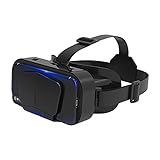
- SUPPORT FOR MYOPIA USERS: The reasonable design of the optical lens and the body can pre-vent fatigue and sleepiness, and can support the use of myopia users, reduce deformity and glare to effectively reduce visual fatigue, maintaining 3D reality with a wide field of vision and creating a virtual reality world.
- ADVANCED VR TECHNOLOGY: 360-degree panoramic view, bringing more shocking visual experience and immersive visual impa-ct.Gaming and watching movies with virtual reality headsets work best when your eyes properly align with the screen box. With this device, you can experience the immersive, fun and exciting world of VR, such as 3D movies, skydiving, underwater worlds, panoramic natural scenery, virtual game scenes, etc.
- ADJUSTABLE INTERPUPILLARY DISTANCE: The use of a large lens barrel has a wider field of view, and the interpupillary distance design of the adjustable gear can meet a variety of needs.The pupil distance can be adjusted to get the clearest view.Our optical goggles has the characteristics of an-ti-blue light, effectively protects the eyes, makes the picture clearer, and reduces the feeling of dizziness.
- MORE PORTABLE, MORE COMFORTABLE, MORE LIGHTWEIGHT: Suitable for 4.7-7 inch mobile phones, compatible with more types of large-screen mobile phones. VR Headset weighs as light as its concise appearance, it more portable no matter at home or outdoor. A T-shaped headband will fit different head sizes (both adults and children).
- PERFECT GIFT FOR KIDS & ADULTS: This premium VR headset is the perfect present for father's day, Halloween, Easter, or Christmas. Compatible with smartphones and other mobile phone devices with a 4.7-7” screen to bring you a totally immersive visual 360 degree experience.

- Compatibility - Realitex VR headset for iPhone & Android fits more phone models than any other VR model
- Free VR content - Our VR headsets come with VR apps & videos for iPhones and Android for beginners
- Unique gift for kids - A great gift idea for boys & girls, perfect for birthdays, Christmas, or any special event
- Beginners friendly – New to VR? We include a "how to use" tutorial link in the box
- Immersive & comfortable - To deliver more immersive & comfortable VR experience, our virtual reality glasses are equipped with bigger lenses and face padding

- VR HEADSET COMPATIBILITY: Works seamlessly with 4.7-6.5 inches smartphones such as for iPhone 17/17 Pro/16/16 Pro/15/15 Pro/14/13 Pro/13/13 Mini/12 Pro/12/12 Mini/11 Pro/11/8 Plus/8/7 Plus/7/ MAX/XR/X; for Samsung Galaxy S25/S24/S23/S22/S21/S20/S10/S10e/S10 Plus/S9/S9 Plus/Note 10 Plus/Note 10/ 9/8/A20e/A50 etc
- INTEGRATED AUDIO VR SET: Features built-in foldable Bluetooth headphones for complete audio immersion while enjoying VR content
- VERSATILE USE VIRTUAL REALITY HEADSET: Perfect for watching 3D movies and playing virtual reality games with comfortable viewing experience for both adults and kids
- VIRTUAL REALITY VISUAL EXPERIENCE: Delivers immersive 3D viewing with adjustable focal settings to accommodate different visual requirements
- ADJUSTABLE DESIGN VR HEADSET: Ergonomically designed headset with adjustable straps for secure and comfortable fit during extended VR sessions. Ideal gift option for everyone

- 【HD WIDE ANGLE LENS】Double spherical optical lens, restore the real image, more high-definition. High-definition optical multi-layer protection lens.360-degree panoramic view, bringing more shocking visual experience and immersive visual impact.
- 【GOOD EFFECT】Full-screen VR rejects the black box effect. Smaller size allows larger field of view. VR removes the black box frame around to make the field of vision bigger and more comfortable. It no longer feels like watching a movie in a box.
- 【EASY TO USE】Easy to set up and use, place the phone horizontally with reference to the center line, adjust pupil distance and object distance. Vr goggle is adjustable on pupil distance and objects distance with individual lenses for different eye sights.
- 【3D GAMING】Gaming and watching movies with virtual reality headsets work best,(5.5-6.2 inch mobile phone with auxiliary frame is better). Boasting HD optimization and 3D gaming support, you’ll put yourself right into the action with games, movies and more!
- 【WIDE ANGLE LENS】With a 100 degree wide-angle lens, the immersion is better. Myopia within 600 degrees can be viewed with the eye. Compatible with 4.7-7.2 inch mobile phones. Full screen vision, no black box effect when watching movies.

- Immersive 3D Experience: Put on our VR headset and enter the breathtaking world of immersive 3D virtual reality. 90°-110° FOV wide field of view makes it compatible with almost all smartphones to bring you a fully immersive visual 360 experience, allowing you to enter another dimension in games, movies and virtual tours. Immersive 3D Experience: Put on our VR headset and enter the breathtaking world of immersive 3D virtual reality. 90°-110° FOV wide field of view makes it compatible with almost all smartphones to bring you a fully immersive visual 360 experience, allowing you to enter another dimension in games, movies and virtual tours.
- Bluetooth Controller For Easy Interaction:Comes with a responsive Bluetooth controller for precise operation. Perfect for VR gaming, watching videos, and interactive learning. Take full control of your virtual adventures. Supports multi-platform VR applications, easily connects to a large number of games, videos and educational resources, and experiences all-round sensory stimulation from vision to touch.
- Ergonomic Design for Maximum Comfort: Enjoy all-day comfort with the TECKNET VR Headset. Featuring an adjustable headband and soft nose rest, it fits all head shapes and sizes perfectly. Weighing only 268g, its lightweight design and breathable soft foam mask reduce pressure and enhance airflow, allowing for extended gaming and viewing sessions without discomfort.
- Universal Compatibility: Our VR glasses support smartphones with 4.7-7.2 inch screens. It's compatible with iPhone 16/15/14/13/12/11/Pro/Max/Mini/Xs Max/XR/X/Xs, 8, 8 plus, 9, 9 plus, SE, for Samsung S23/ 22/ 21 Ultra/ S22/ S21/ S20/S10/ S10e/S10 Plus/S9/ S9 Plus/S8 Plus/Note 20/10 Plus/Note 10/ 9/8/A20e/A50 Google Pixel, Android etc. Mobile phones with a screen size of 6.2 inches or larger can have the screen frame removed for usage. This feature allows for a perfect fit and improved heat dissipation.
- Eye Protection & Myopic Usable: Our VR goggles are equipped with blue light protection lenses, which block harmful blue light and can relieve eye fatigue and protect your eyes. With a dual independent lens, adjustable pupil distance and focal length, it perfectly matches your focal length and reduces aberration. Support naked eye viewing for people with myopia within 600°. Even if you use it for a long time, it will not cause eye strain, giving you the best 3D immersive experience possible.

- Compatibility - Feebz VR headset for iPhone & Android model 2.0 fits more phone models than any other VR model.
- Free VR content - Our VR headsets come with VR apps & videos for iPhones and Android for beginners
- Unique gift for kids - A great gift idea for boys & girls, perfect for birthdays, Christmas, or any special event
- Beginners friendly – New to VR? We include a "how to use" tutorial link in the box
- Immersive & comfortable - To deliver more immersive & comfortable VR experience, our virtual reality glasses are equipped with bigger lenses and face padding
The Essential Buying Guide for Virtual Reality Games on Android
Virtual Reality (VR) gaming on Android phones is super exciting. It lets you step right into the game world! But picking the right VR game or headset can be tricky. This guide helps you make the best choice for your mobile adventures.
1. Key Features to Look For in Android VR Games
Good VR games need specific things to work well on your phone. Always check these features before you download or buy:
- Compatibility: Make sure the game works with your specific Android phone model and the VR headset you plan to use (like Google Cardboard or a more advanced headset). Not all games fit all gear.
- Control Scheme: How do you play? Some games use simple head movements only. Others need a Bluetooth controller for better action. Simple games are easier for beginners.
- Graphics Quality: Look for games that offer high-resolution visuals. Better graphics make the virtual world look more real and less blurry.
- Comfort Settings: Great VR games let you adjust settings to reduce motion sickness. Look for options like smooth turning or teleportation movement.
2. Important Materials and Hardware Considerations
When talking about Android VR, the “material” isn’t the game itself, but the gear you need to play it. You need a good smartphone and a reliable viewer.
Smartphone Specs Matter
Your phone is the engine of your VR experience. A powerful processor (CPU/GPU) is crucial. Slower phones make games stutter or lag. Also, a high refresh rate screen (like 90Hz or higher) makes movement smoother, which is important for your eyes.
The VR Headset (Viewer)
Most Android VR uses affordable viewers. Google Cardboard is the simplest. More advanced plastic headsets offer better padding and lens adjustments. Ensure the headset holds your phone securely. A loose phone ruins the immersion.
3. Factors That Improve or Reduce Quality
The quality of your VR session depends on several factors working together.
What Makes It Better (Improves Quality):
- Low Latency: This means the screen updates instantly when you move your head. Low latency reduces motion sickness significantly.
- Wide Field of View (FOV): A wider FOV lets you see more of the virtual world at once, making you feel more surrounded.
- Optimized Performance: Developers who spend time fine-tuning their games for mobile chipsets create much better experiences.
What Makes It Worse (Reduces Quality):
- Screen Door Effect: This happens when you can clearly see the tiny gaps between the pixels on your phone screen. Newer phones with higher pixel density fix this problem.
- Poor Tracking: If the game loses track of where you are looking, the world jumps around, which is very unpleasant.
- Heat Buildup: Playing intense VR games makes your phone hot. Overheating causes the phone to slow down performance to protect itself, reducing game quality.
4. User Experience and Use Cases
Think about why you want to play VR. This guides your game choice.
Use Cases:
- Casual Exploration: If you just want to look around cool 360-degree worlds or visit virtual museums, simple, non-interactive apps work best. These demand less from your phone.
- Action and Gaming: If you want fast-paced shooting or racing, you must use a headset with a good controller. These are usually more demanding on your device’s battery and processing power.
- Fitness and Education: Some apps offer virtual workouts or interactive lessons. Look for games that encourage standing and moving safely within a small physical space.
A good user experience means the game feels intuitive. You should not spend too much time fiddling with settings. You want to jump right into the action!
10 Frequently Asked Questions (FAQ) About Android VR Games
Q: Do I need a special phone for Android VR games?
A: You need a relatively modern Android phone with a good screen resolution. Very old or low-end phones struggle to run VR smoothly.
Q: Is Google Cardboard good enough for VR gaming?
A: Yes, Cardboard works for many simple games. It is a great starting point, but plastic headsets offer better focus and comfort for longer play sessions.
Q: Can I use my regular Bluetooth game controller with Android VR games?
A: Many action-focused VR games support standard Bluetooth controllers. Always check the game description to confirm controller compatibility.
Q: Why do some VR games make me feel dizzy?
A: Dizziness, or motion sickness, happens when your eyes see movement, but your body doesn’t feel it. Games with smooth, slow movement or teleportation settings usually cause less sickness.
Q: Are the best VR games free on Android?
A: No. While many simple demos are free, the best, most polished games usually cost a small amount of money. Paid games often have better support and fewer ads.
Q: How much battery does an Android VR game use?
A: VR games use a lot of power because they run graphics and the screen constantly. Expect your battery to drain much faster than normal use.
Q: What is “Field of View” (FOV) in VR?
A: FOV is how much of the virtual world you can see around you. A higher FOV makes the experience feel more immersive, like you are really there.
Q: Can I play multiplayer VR games on Android?
A: Yes, some Android VR titles support online multiplayer, but these often require a strong Wi-Fi connection and a high-quality headset setup.
Q: What should I do if the image looks blurry?
A: First, clean the lenses of your VR headset. Second, adjust the distance between your phone and the lenses using your headset’s adjustment sliders, if available.
Q: Do I need a constant internet connection to play VR games?
A: It depends on the game. Exploration or story-based games might only need the internet to download. Action or multiplayer games usually require the internet to stay connected while playing.