
Have you ever typed on a keyboard that just *felt* right? That satisfying click or smooth glide under your fingertips can completely change how you work or play. But step into the world of mechanical keyboards, and you’ll quickly run into a confusing maze: switches! These tiny components are the secret heart of any great keyboard, yet choosing the perfect one feels like solving a complex puzzle.
The sheer number of options—linear, tactile, clicky—can overwhelm anyone looking to upgrade or build their first custom board. You want that perfect typing experience, but you don’t want to waste money on switches that feel scratchy or too loud for your office. Understanding switches is the key to unlocking true typing bliss and avoiding buyer’s remorse.
This guide cuts through the jargon. We will break down the three main types of keyboard switches in simple terms, explaining exactly what sound and feel each one offers. By the end, you will know precisely which switch type matches your needs, whether you are a fast gamer or a quiet writer. Get ready to discover the switch that will transform your typing experience forever!
Top Switches Keyboard Recommendations

- Package Includes: You will get 50 Pcs blue keyboard switches in one bag! Each set of our mechanical switches comes with a switch puller and a convenient cleaning brush. This complete kit makes switch installation and future keyboard cleaning effortless
- Enhanced Durability: Engineered with dust-proof and waterproof construction, these switches provide superior protection. This defense significantly boosts your keyboard's longevity, ensuring consistent performance in any environment
- Authentic Tactile: Experience the satisfying rhythm of typing with a clear tactile bump and a crisp, audible click sound. The driving force offers powerful two-stage feedback, making it the perfect keystroke experience for typists and gamers
- Strong Visual: The transparent housing maximizes the brilliance of lighting for stunning visual effects. Featuring a standard 3-pin MX design, they are plug-and-play compatible with most hot-swappable keyboards and support profile keycaps
- Premium Materials: These clicky switches utilize a high-quality POM stem and a robust copper alloy spring. This premium material combination ensures consistent and satisfying keystrokes over an impressive lifespan of enough clicks

- This blue key switch has a transparent housing, suitable for LED backlighting, offers excellent tactile feedback, smoother, and will satisfy you with the classic crisp click sound.
- The mechanical keyboard switch is made of plastic shell, copper gasket, high-quality spring, the shaft core material is POM, waterproof, approximate lifespan of 50 million times of keystrokes, durable.
- Total stroke of blue switch: 4 mm; working stroke: 2.2±0.6 mm. Tip: Pins may be bent during shipment, but will not be affected the use after correction.
- Good compatibility, great for most mechanical keyboards, a strong sense of paragraphing, suitable for users pursuing feel and performance, and suitable for typists, enjoy the rhythm of work and games.
- Packaging: 10 PCS 3 pin keyboard dustproof switches.

- Effortless Linear Actuation: The Epomaker Creamy Jade Switch offers a refined linear actuation, providing a smooth and uninterrupted keystroke for both typing and gaming. With a 45±5gf actuation force and 50±5gf bottom-out force, the switches strike the perfect balance between responsiveness and ease of use, making them ideal for long typing sessions or fast-paced gameplay.
- Premium Material Construction: Crafted with a POK stem, PC upper housing, and PA66 bottom housing, the Creamy Jade Switch is built to last. These high-quality materials ensure minimal wobble, enhancing stability and providing a consistent feel with every keystroke. The durable construction also contributes to a clean, satisfying sound profile that will elevate your typing experience.
- Ready to Enjoy with Factory Lubing: For an ultra-smooth, scratch-free feel, the Creamy Jade Switch comes pre-lubed from the factory. This factory lubrication minimizes friction, ensuring that each keystroke is as fluid as possible right out of the box. You won’t need to worry about manual lubing, allowing you to enjoy a seamless typing experience immediately.
- MX-Compatible & Hot-Swappable: With a 5-pin design, the Creamy Jade Switch is fully MX-compatible, offering seamless integration into most hot-swappable PCBs and mechanical keyboards. Whether you're building a custom keyboard or upgrading an existing one, these switches are the perfect choice for a hassle-free installation, offering flexibility to experiment with different layouts and configurations.
- Built for Longevity: Engineered for long-lasting performance, the Creamy Jade Switch is rated for 50 million keystrokes, ensuring it will withstand years of use without compromising on performance. Featuring a 2.0±0.4mm pre-travel and 3.6±0.4mm total travel, the switch offers precise actuation for both casual and competitive users, maintaining consistent feedback and reliability over time.
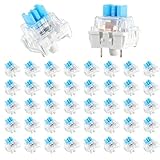
- 【Package Content】The package contains 50 pre-lubricated 3-pin onboard tactile switches, providing smooth actuation and crisp rebound, making it ideal for custom keyboards or upgrades
- 【Clear Housing Design】Featuring a transparent blue casing that perfectly complements the LED backlight, these key switches provide excellent tactile feedback, giving you a pleasant typing experience
- 【Quality Material】Made of plastic housing, copper washers, and high-quality springs, these blue switches are waterproof and dustproof, durable, and have a service life of up to 50 million cycles
- 【Wide Compatibility】Compatible with most keyboards, these keyboard clickers are ideal for users who value feel and performance, making them ideal for typists and gamers
- 【Factory-Precision Lubrication】Each keyboard switch is machine-lubricated to reduce friction and noise, ensuring smooth, consistent keystrokes and plug-and-play reliability for a superior typing experience

- Value Pack: You'll receive 72pcs blue mechanical keyboard switches, ready for installation. The blue and white color scheme adds a stylish touch to your custom keyboard, making it a perfect gift for family and friends who love mechanical keyboards.
- Durable Construction: The mechanical keyboard switches are made of high-quality acrylic and zinc alloy, making them waterproof and dustproof for durability. The transparent housing perfectly matches the LED backlight and provides excellent tactile feedback and a pleasant click.
- Precise Performance: These 3-pin keyboard keys are compatible with most mechanical keyboards. Their precise actuation and comfortable feedback ensure every keystroke registers perfectly, ensuring a smoother, more stable, and more responsive typing experience even during long typing sessions.
- Enhanced Typing: Our blue key switch are ideal for everyday office document writing. The classic crisp click and tactile feedback, strong paragraph feel, and smooth performance enhance your typing rhythm, providing a comfortable and enjoyable experience.
- Perfect Gift: Our blue switch mechanical keyboard easily replace the original keyboard switches without complex tools or skills. They adapt to most standard keyboards on the market, making them an ideal choice for typists who value feel and accuracy.

- 120-Piece Multi-Use Switch Set: This kit includes 120 mechanical keyboard switches (3-pin clicky tactile), 3 switch pullers, and 1 cleaning brush—perfect for keyboard upgrades, DIY builds, and clickers for 3d prints projects.
- Satisfying Clicky Tactile Feedback: These keyboard clicker fidget switches deliver a crisp, audible click and tactile bump with every keystroke, blue switches ideal for gamers, typists, and anyone using fidget clickers for sensory play or 3D print applications.
- Wide Keyboard Compatibility: Designed for many hot-swappable mechanical keyboards, these keyboard switches work with standard cross-stem keycaps, making them a versatile replacement for worn-out switches.
- Complete DIY & Maintenance Kit: Included 3 switch pullers and 1 cleaning brush make keyboard switch installation, replacement, and cleaning effortless, while the durable design ensures long-lasting performance for daily use.
- Multi-Purpose Utility: Beyond keyboards, these clicky switches serve as fidget clicker insert and clickers for 3d prints, perfect for sensory fidget toys, 3D printed projects, and custom DIY builds.

- [High Quality]: Kailh box classical meachanical switch with box structure,owns high stability,Super long life up to 80 million cycles;Support IP54 Dust&waterproof
- [Feature]:Kailh box white switches,perfect Clickyness,not inferior to Cherry blues;With clear crisp sound,Good for Gaming Race&Fast-paced typing
- [Compatibility]:Compatible with most 3-pin mechanical keyboards or custom built keyboard;Compatible for RGB/SMD/LED hot swappable;Three sizes(36pcs,72pcs,90pcs,108pcs) to choose from.
- [Product parameters]:Light Clicky|Operation Force:45±15gf;Bottom out Force:55±10gf;Conduction travel:1.8±0.3mm;Total Travel:3.6±0.3mm;Operating life:80 millions Cycles(min).
- [Packaging]: Adoping a exquisite and beautiful box,and placing every switch separately which can better protect the switch pins from bending,perfect as a gift for family and friends who love mechanical keyboards.

- Switches Compatibility:OUTEMU (Gaote) mechanical MX dust-proof key switch, supports SMD lights, RGB plug-in lights, and round biped lights. Compatible with Cherry MX switch, suitable for most mechanical keyboards.
- Main Parameters:Outemu Blue Switch---Tactile feel (two-stage), Actuation force is about 50±15gf.Over 50 million laboratory tests ensure durability and more stable and reliable quality.
- Switch Features:Outemu Blue switch——Typing artifact. The amount of pressure is moderate, the paragraph feels strong, and the sound is crisp, giving typing users a sense of crackling rhythm.
- Installation Type:Manual soldering and hot-swappable boards.
- Package Included::1 puller tool and 32 Blue Switches ‘[+]’ shape and PP protection box.
The Ultimate Buying Guide: Choosing Your Perfect Keyboard Switches
Keyboards are essential tools for typing and gaming. The switches underneath the keys control how your keyboard feels and sounds. Choosing the right switches makes a huge difference. This guide helps you pick the best ones for you.
1. Key Features to Look For
Several features define a keyboard switch. You must understand these to make a smart choice.
Actuation Force
This is how hard you press a key to make it register. It is measured in grams (g). Lighter switches need less force. Heavier switches need more force. Gamers often like lighter switches for fast response. Typists might prefer medium or heavy switches to avoid mistakes.
Travel Distance
This is how far the key moves down when you press it. Shorter travel means faster typing. Longer travel can feel more satisfying.
Switch Type (The Feel)
Switches mostly fall into three types:
- Linear: These switches move straight up and down smoothly. They have no bump or click. They are quietest.
- Tactile: These switches have a small bump you feel when the key registers. This feedback helps typists know the key pressed.
- Clicky: These switches have a bump *and* make a loud, distinct click sound. Many people love the sound, but others find it annoying.
2. Important Materials
The materials used affect the switch’s lifespan and feel.
Housing and Stem
Most modern switches use strong plastic for the housing (the outside part) and the stem (the moving central piece). High-quality plastic resists wear and tear. Good materials keep the switch feeling smooth for millions of keystrokes.
Springs
The spring dictates the actuation force. Stainless steel is common. The quality of the spring affects how consistent the key press feels over time. Poor springs can become “scratchy” or lose their tension.
Leaf and Contacts
These tiny metal parts complete the circuit when you press the key. High-quality copper or gold-plated contacts ensure reliable performance and prevent corrosion.
3. Factors That Improve or Reduce Quality
Not all switches are made equal. Quality matters greatly.
Lubrication (Lube)
Factory-lubed switches feel much smoother. Good lubrication reduces friction between the stem and housing. Unlubricated switches often feel scratchy. Adding lube greatly improves the user experience.
Tolerance and Fit
Switches with tight tolerances fit together perfectly. This tightness reduces “wobble” in the keycap. Loose fittings reduce the overall quality feel.
Hotswappability
While not a switch feature itself, hotswappable keyboards let you change switches easily. This feature allows you to test different switch types without soldering. This is a huge benefit for beginners.
4. User Experience and Use Cases
Match the switch type to what you do most often.
Gaming
Gamers usually prefer fast, light switches. Linear switches are popular because they allow for rapid, repeated key presses without fatigue. Speed switches (which have a shorter travel distance) are often chosen here.
Typing and Office Work
Typists often choose tactile or clicky switches. The tactile bump or click confirms the keystroke, which can increase typing accuracy and speed. Medium-weight springs are often preferred for long typing sessions.
Quiet Environments
If you work in a shared office or at night, choose linear switches, especially silent linear ones. Clicky switches should be avoided in quiet settings.
10 Frequently Asked Questions (FAQ) About Keyboard Switches
Q: What is the difference between a mechanical and a membrane keyboard switch?
A: Mechanical switches are individual components that feel distinct and last longer. Membrane switches use a rubber dome under all keys; they feel mushy and usually break faster.
Q: Which switch is the best for beginners?
A: Brown tactile switches are often recommended. They offer a nice middle ground, providing a small bump without being overly loud like clicky switches.
Q: How long do quality mechanical switches last?
A: Most good quality switches are rated for 50 million to 100 million keystrokes. They will last many years with regular use.
Q: Can I mix different types of switches on one keyboard?
A: Yes, if your keyboard supports hotswap sockets. You can put linear switches on the WASD keys for gaming and tactile switches on the main typing area.
Q: What does “scratchy” mean when talking about a switch?
A: A scratchy switch feels rough when pressed, like sandpaper is rubbing inside. This usually happens when the plastic parts need lubrication.
Q: Are clicky switches always the loudest?
A: Generally, yes. Clicky switches have an extra mechanism to create the sound. Silent linear switches are the quietest option available.
Q: What is the measurement “60g” referring to?
A: 60g refers to the actuation force, meaning you need 60 grams of force to register the key press. This is a medium-heavy switch weight.
Q: Do switch colors mean anything?
A: Yes, colors are often used as shorthand for switch types (e.g., Cherry MX Red is usually linear, Blue is usually clicky). However, different brands use different colors, so always check the specifications.
Q: Is it hard to install new switches?
A: If your keyboard is hotswappable, it is very easy—you just pull the old one out and push the new one in. If it is not hotswappable, you need soldering skills.
Q: Do heavier switches reduce typing errors?
A: For some people, yes. Heavier switches prevent accidental presses when you rest your fingers on the keys. This accidental pressing is called “bottoming out.”