
Want to know how to take off the governor on your golf cart to boost speed? You can often make your golf cart go faster by changing or bypassing its speed limiter, also called a governor. This usually means adjusting a spring or cable on a gas cart, or changing settings on the controller or adding a part on an electric cart. Be aware that doing this changes how your cart works and can affect safety, how long parts last, and even if you can use the cart legally.
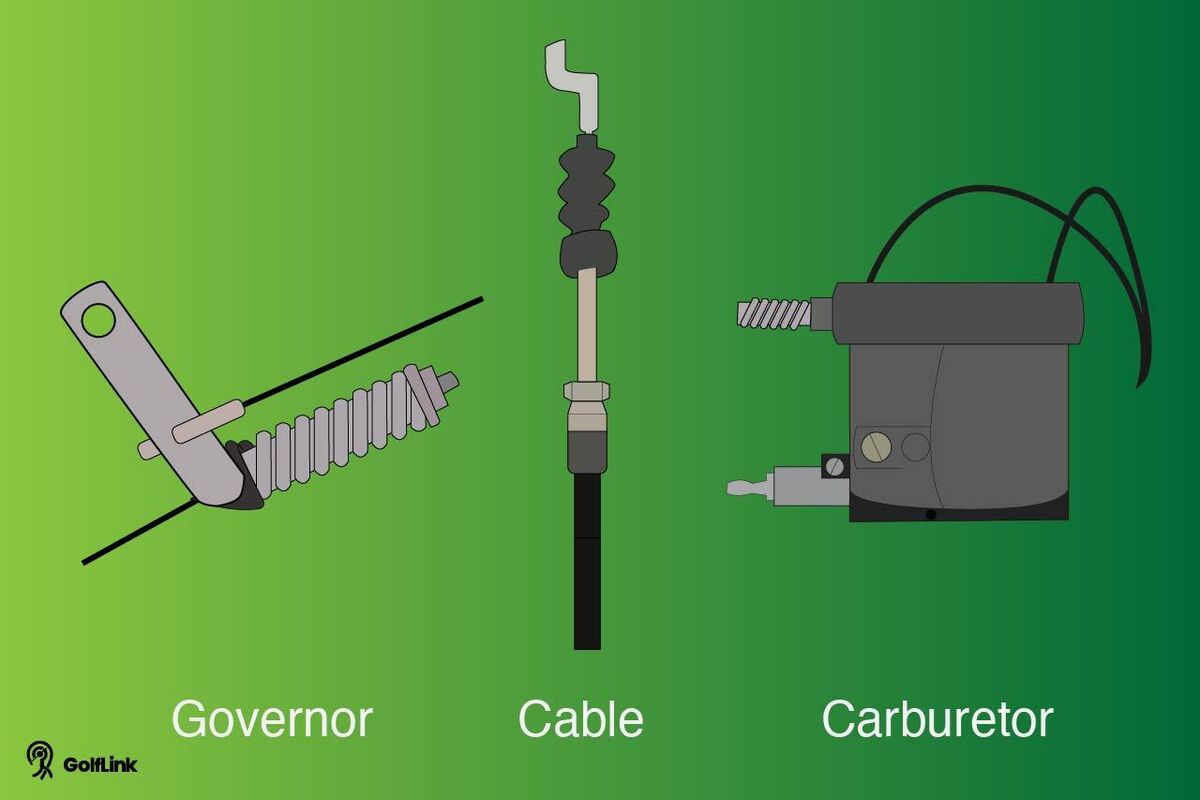
Image Source: assets.ltkcontent.com
Deciphering What Governors Do
Golf carts come with a part called a governor or a speed limiter. Its main job is to keep the cart from going too fast. Think of it like a parent setting a rule for how fast you can ride your bike.
Cart makers put these speed limiters on for good reasons:
* Safety: Higher speeds mean more danger. It’s easier to lose control, tip over, or hit something. The governor helps prevent bad accidents.
* Protecting Parts: Going slower puts less stress on the engine, motor, brakes, and tires. This helps parts last longer. The governor keeps the engine RPM or motor speed at a safe level.
* Rules: Some places have rules about how fast golf carts can go, especially in neighborhoods, parks, or on paths. The governor helps the cart meet these rules.
So, the governor is a safety and protection device. It stops the cart from reaching its top possible speed. It limits how fast the engine spins or how much power goes to the electric motor.
Why People Want More Speed
Even with a speed limiter, many people want their golf carts to go faster. They want to increase golf cart speed.
Here are some reasons why:
* Get Around Faster: On big properties or in large neighborhoods, a little more speed can save time.
* Keep Up: If friends have faster carts, you might want yours to match.
* More Fun: For some, driving faster is just more fun. They want better golf cart performance.
* Hills: A faster cart might climb hills better or keep speed better when going up a slope.
Wanting to increase golf cart speed is common. But it’s important to know what happens when you change the speed limiter.
Major Risks When Changing Speed
Before you change your cart’s speed limiter, you must know the risks. Making a golf cart go faster is not just a simple tweak. It has big effects.
Safety Dangers
This is the biggest risk.
* Harder to Stop: Brakes on a golf cart are made for lower speeds. At higher speeds, they might not stop you fast enough. You could crash.
* Easy to Tip: Golf carts have a high center of gravity. Turning fast or hitting a bump at higher speeds can make the cart tip over. People can get hurt badly.
* Lose Control: Steering might feel less stable at higher speeds. It’s easier to lose control of the cart.
* Higher Impact: If you hit something or someone, the impact is much stronger at higher speeds. This means more damage and more severe injuries.
Cart Damage
Pushing your cart faster means putting more stress on its parts.
* Engine/Motor Wear: Running the engine at higher engine RPM or pushing the electric motor harder makes them work harder. They will wear out faster. You might need expensive repairs sooner.
* Drivetrain Stress: Parts that connect the engine/motor to the wheels (like belts, clutches, gears) are not built for constant high speed. They can break or wear out quickly.
* Brake Wear: Using brakes from higher speeds puts much more heat and stress on them. They will wear out faster and might fail when you need them most.
* Tire Wear: Tires wear down faster at higher speeds, especially when turning.
Warranty Issues
Most golf cart companies will cancel your warranty if you change or remove the speed limiter. If something breaks after you make the change, the company will likely not fix it for free. You will have to pay for all repairs yourself. This can cost a lot of money.
Legal Rules
Check the laws where you live or where you use the cart.
* Some places have speed limits for golf carts on public roads or paths. Making your cart go faster might make it illegal to drive there.
* If you have an accident and your cart was going faster than its design speed or the legal limit, you could be in serious trouble. Your insurance might not cover the damage or injuries.
Think hard about these risks. Making your cart go faster can be exciting, but it’s important to be safe and responsible.
How Governors Work on Gas Carts
Gas golf carts use a mechanical governor system. This system limits the engine RPM (how fast the engine spins). Limiting the engine speed limits how fast the cart’s wheels can turn.
Here’s how it generally works:
* The governor system is linked to the engine’s speed.
* As the engine spins faster, a part in the governor moves.
* This movement is connected to the throttle linkage (the part that controls how much fuel and air go into the engine).
* The governor pulls the throttle linkage back. This closes the throttle part-way.
* Closing the throttle makes the engine slow down.
* This happens very fast, always keeping the engine from going past a set speed limit.
The system often includes:
* Governor Arm: A lever connected to the engine’s spinning parts or a belt.
* Governor Spring: A spring connected to the governor arm and the throttle linkage. The tension on this spring helps set the speed limit. More tension means the governor allows higher speeds before it pulls the throttle back. Less tension means it acts sooner, limiting speed more.
* Throttle Cable/Linkage: The connection between the gas pedal, the governor arm, and the carburetor (or fuel injection). The governor system changes the position of this throttle linkage to slow the engine.
To increase golf cart speed on a gas cart, you usually change how this mechanical system works.
How Speed Limiters Work on Electric Carts
Electric golf carts do not have an engine governor like gas carts. Their speed is controlled by electronics. The main part controlling speed is the speed controller.
Here’s how it generally works:
* When you press the gas pedal (accelerator), it sends a signal to the speed controller.
* The speed controller is like the brain of the electric system. It takes power from the batteries.
* It then sends power to the electric motor.
* The amount of power sent to the motor controls how fast the motor spins. More power means faster speed.
* The speed controller has limits programmed into it. These limits stop it from sending too much power to the motor at certain times or from letting the motor spin too fast. This is the speed limiter for electric carts.
Ways electric carts limit speed include:
* Controller Programming: The speed controller itself is programmed with a maximum speed setting.
* Speed Sensor: Some carts have a sensor on the motor or axle that tells the controller how fast the cart is going. If it goes too fast, the controller cuts power.
* Different Modes: Some carts have different speed modes (like Turtle/Rabbit or P1, P2, P3) that you can select, often with a switch or by changing a wire. These modes are set in the controller.
To increase golf cart speed on an electric cart, you usually change the speed controller or related parts. This might involve:
* Changing the controller’s settings if possible.
* Replacing the controller with one that has a higher speed limit.
* Changing the motor or battery system to handle more power (which requires a matching controller).
* Adding a special chip or magnet that tricks the controller or speed sensor.
Each type of cart (Club Car, EZ-GO, Yamaha) might have different ways their electric speed limiter works. You need to know your cart’s make and model.
Step-by-Step: Making a Gas Cart Faster
Adjusting the governor on a gas golf cart is a common way to increase golf cart speed. This involves changing the governor spring tension or the throttle linkage. Remember the risks mentioned earlier before you start.
Tools You Might Need:
* Wrench set or adjustable wrench
* Socket set
* Pliers
* Screwdriver set
* Safety glasses
* Gloves
* Someone to help (good idea)
Safety First:
* Park the cart on a flat, level spot.
* Set the parking brake firmly.
* Turn off the engine and take the key out.
* Let the engine cool down if it was running.
Finding the Governor
The governor system is usually near the engine.
* Open the engine cover on your golf cart.
* Look for the carburetor. It’s where air and fuel mix.
* You will see a system of levers and rods connected to the carburetor’s throttle arm.
* Follow these levers and rods. One path goes to the gas pedal. The other path goes to the governor arm, which is often connected to a spinning part of the engine or a drive belt.
* Look for a spring attached to the governor arm and the throttle linkage. This is often the governor spring you can adjust.
On carts like EZ-GO TXT or Club Car DS/Precedent (gas models), the governor parts are usually easy to see once the seat is up. Yamaha G-series gas carts also have a mechanical governor.
Adjusting the Governor Spring
This is the most common way to make a gas cart faster.
* Locate the governor spring. It connects the governor arm to the throttle linkage.
* The spring adds tension against the governor’s action. More tension means the governor waits longer to cut the throttle, letting the engine spin faster.
* To increase the speed limit, you need to increase the tension on this governor spring.
* Some governors have different holes to attach the spring. Moving the spring to a hole that stretches it more will increase tension. Find where the spring connects. See if there are other holes nearby on the linkage or arm. Move the spring to a hole farther away from its other connection point. This makes the spring pull harder.
* Other systems might have an adjustment screw or nut where the spring attaches. Tightening this screw or nut increases tension. Look closely at the parts around the spring connection points.
Make Small Changes: Only adjust the spring a little bit at a time. A small change can make a big difference in speed. You do not want to make it too loose or too tight all at once.
Adjusting the Throttle Linkage Cable
Sometimes you can get a little more speed by adjusting the throttle linkage cable itself.
* Find the cable that runs from the gas pedal up to the throttle linkage system near the engine.
* This cable often has an adjustment point. It might be near the pedal or near the engine. It often looks like a threaded rod with nuts on it.
* Adjusting this cable changes how much the throttle opens when you push the pedal.
* Be careful! The governor system still works. Adjusting the cable might just let you reach the current speed limit faster, or it might push the linkage slightly beyond the governor’s starting point if the governor isn’t set right.
* On some carts, you can adjust the point where the gas pedal arm hits a stop. This lets the pedal go down further, pulling the throttle linkage more. But again, the governor is still there limiting the engine speed.
Adjusting the throttle linkage cable alone usually gives only a small speed gain compared to adjusting the governor spring.
(Optional) Taking Off the Linkage (Bypassing the Governor)
Warning: This is risky and not recommended for most people. This completely removes the speed limiter. The engine can then spin as fast as it possibly can based on the throttle position.
- You would disconnect the cable or rod that goes from the governor arm to the throttle linkage.
- Then, you connect the cable from the gas pedal directly to the throttle linkage on the carburetor.
- This means the governor arm no longer pulls back the throttle.
Why this is dangerous:
* The engine can over-rev (spin too fast). This will quickly destroy the engine.
* The cart will go much faster than it was made to. This increases all the risks mentioned before (tipping, not stopping, breaking parts).
* You have no electronic or mechanical limit helping you. The cart speed is totally up to how much you push the pedal.
Unless you are a professional modifying a cart for a special purpose (like racing on a closed track), do not bypass the governor completely. Adjusting the spring is usually enough to get a bit more speed safely (relative to the cart’s design).
Checking Your New Speed
After making a small adjustment:
* Make sure all tools are put away and engine covers are closed safely.
* Get into the cart.
* Start the engine.
* Drive the cart in a safe, open area away from people and obstacles.
* Gently test the speed. See if it goes faster.
* Listen to the engine. If it sounds like it is screaming or working too hard, you might have adjusted too much.
* Test the brakes. Make sure you can still stop safely from the new top speed.
* If the speed is not enough, turn off the cart, remove the key, and make another small adjustment to the governor spring.
* Repeat until you reach a speed you are happy with, but never push it so fast that you feel unsafe or hear the engine struggling too much.
Remember, the goal is to increase golf cart speed, but not at the cost of safety or destroying the cart.
Step-by-Step: Making an Electric Cart Faster
Increasing electric golf cart speed is different from gas carts. You deal with electronic parts like the speed controller. Again, remember the risks before changing anything.
Tools You Might Need:
* Basic hand tools (screwdriver, pliers)
* Wrench set
* Wire strippers/crimpers (if changing wires)
* Safety glasses
* Gloves
* Voltage meter (optional but helpful)
* The cart’s manual (very helpful)
Safety First:
* Park the cart on a flat, level spot.
* Set the parking brake firmly.
* Turn off the key.
* Disconnect the main battery cable. This is very important to avoid electrical shocks or damaging parts. Find the main positive (+) or negative (-) cable on the battery pack and disconnect one end. Make sure the loose end cannot touch anything metal.
* Wait a few minutes for any stored power in the controller to drain.
Finding the Speed Controller
The speed controller is usually a metal box with many thick wires connected to it.
* On many carts (like Club Car, EZ-GO, Yamaha electric models), the controller is under the seat, near the batteries, or sometimes under the floor mat in the front.
* Look for thick cables going from the batteries to this box, and other thick cables going from the box to the motor.
Checking for Speed Settings
Some modern electric carts have selectable speed settings built into the controller or wiring harness.
* Mode Switch: Look for a physical switch, often labeled P1, P2, P3, or Turtle/Rabbit. This switch might be hidden under the seat, near the controller, or sometimes on the dashboard. If you find one, moving it might change your speed.
* Programmed Settings: Some controllers can be connected to a computer or a special handheld programmer. A golf cart dealer or service shop can sometimes change the speed setting in the controller’s software. This is not something you can usually do at home without special tools.
Check your cart’s manual or look online for information specific to your make and model. Sometimes just finding a hidden switch is all you need to do to increase golf cart speed.
Using Speed Chips or Magnets
Some electric cart models have simpler ways to bypass or trick the speed limiter.
* Speed Sensor (EZ-GO PDS/TXT): Older EZ-GO carts with the PDS (Precision Drive System) often have a speed sensor on the motor. This sensor tells the controller the motor speed. You could sometimes replace the magnet inside this sensor with a special speed magnet. This magnet sends a different signal, tricking the controller into allowing higher speeds. This is a specific fix for certain models.
* Speed Chip (Club Car IQ/GE): Some Club Car IQ or GE systems used a speed chip. This is a small electronic part that plugs into a port on the controller or the wiring harness. It changes the signals the controller receives, allowing higher speeds. These chips are made for specific controller models.
Using a speed magnet or chip is often easier than replacing the whole controller. However, they still push the motor and controller harder, increasing wear. Make sure the part you buy is made for your exact cart year and model.
Thinking About Bigger Upgrades
For a major electric golf cart speed increase and better golf cart performance, you might need to upgrade parts.
* Upgraded Speed Controller: Replacing the factory speed controller with an aftermarket high-amp controller is a common upgrade. These controllers are made to handle more power and are programmed with higher speed limits. They allow the motor to spin faster. You need to choose a controller that matches your motor and battery voltage.
* Upgraded Motor: The stock motor has limits. An upgraded motor can handle more power and spin faster. Often, if you install a high-amp controller, you also need a compatible high-speed motor to get the full benefit and prevent the motor from overheating.
* Upgraded Batteries: Pushing the cart faster uses more power. Older or weaker batteries might not keep up. Sometimes, upgrading to higher capacity batteries or even a higher voltage system (like going from 36V to 48V, which also requires a new controller and possibly motor) is needed to support the higher speeds and performance.
Upgrading controllers, motors, and batteries is more complex and expensive than adjusting a spring or adding a chip. It requires more technical skill. If you are not comfortable with electrical work, it is best to have a professional do these upgrades.
Checking Your New Speed
After making an adjustment or installing a part:
* Make sure the main battery cable is reconnected safely.
* Double-check all connections you touched.
* Put covers back on securely.
* Get into the cart.
* Turn the key on.
* Drive the cart in a safe, open area.
* Gently test the speed. See if it goes faster.
* Listen for any strange noises from the motor or controller (like buzzing or whining that wasn’t there before). Feel the motor and controller after a short drive to check if they are getting too hot.
* Test the brakes! This is critical. Can you stop safely from the new top speed?
* If you made an adjustment and want a little more speed, disconnect the battery again before making another small change (if possible with your method).
Go slowly with changes. Test carefully. Safety is more important than speed.
Keeping Your Faster Cart Running Well
When you increase golf cart speed, you make the cart work harder. This means you should take better care of it.
- Check Brakes Often: Your brakes will wear out faster. Check the brake pads/shoes often. Make sure the brake fluid (if your cart has hydraulic brakes) is full.
- Inspect Tires: Higher speeds wear tires faster. Check tire pressure regularly. Look for uneven wear or damage. Make sure your tires are rated for the higher speed. Standard golf cart tires might not be.
- Look at Suspension: Shocks and springs work harder at higher speeds, especially over bumps. Check them for wear or damage.
- Gas Carts:
- Check engine oil more often. Higher engine RPM creates more heat and wear.
- Check belts (drive belt, starter belt) for wear.
- Clean or replace air filters more often.
- Check the throttle linkage for smooth movement.
- Electric Carts:
- Check battery water levels often (for flooded lead-acid batteries). Keep terminals clean.
- Feel the motor and controller after use. If they are very hot, you might be pushing them too hard.
- Check all electrical connections to make sure they are tight and clean.
- If you upgraded parts, follow the maintenance advice for those specific parts.
More speed means more stress. More stress means you need to check and maintain your cart more often to keep it running safely and prevent breakdowns.
Remember the Rules and Be Safe
We talked about risks already, but it’s worth saying again.
* Safety: Driving faster is much more dangerous. Always think about who is around you. Can you stop quickly? Can you turn safely? Golf carts are not sports cars.
* Rules: Know the rules where you drive. On private property, rules might be different than on public roads or paths. Do not make your cart illegal to use in your area.
* Passengers: Be extra careful with passengers, especially children. Higher speeds increase the risk of someone falling out or getting hurt in a quick stop or turn.
Making a cart go faster is a choice. That choice comes with added responsibility. Be smart about it.
Other Simple Ways to Go a Bit Faster
If you want a little increase golf cart speed or better golf cart performance but don’t want to mess with the governor or controller, here are some less risky ideas:
- Check Tire Pressure: Make sure your tires are filled to the correct pressure. Low pressure creates more rolling resistance and slows you down.
- Reduce Weight: The less weight the cart carries, the easier it is for the engine or motor to move it. Take out things you don’t need.
- Proper Maintenance: A well-tuned engine (new spark plug, clean air filter, proper fuel) or a well-maintained electric system (clean battery terminals, charged batteries) will run at its best possible speed and efficiency. Simple maintenance can sometimes add a mile or two per hour.
- Smooth Driving: Driving smoothly, not slamming the gas pedal or brakes, can help the cart maintain speed better and be more efficient.
- Aerodynamics (Minor): Keeping windshields clean and using less bulky attachments can slightly reduce wind resistance, allowing a tiny bit more speed. This makes a very small difference on a golf cart.
These methods won’t give you a huge speed boost, but they are safe, help your cart last longer, and don’t cost much or void warranties.
Common Questions About Speed Boosts (FAQ)
Here are some questions people often ask about making their golf cart faster:
Q: What is a governor on a golf cart?
A: A governor or speed limiter is a part that stops your golf cart from going over a certain speed. It’s there for safety and to protect the cart’s parts.
Q: Can I just remove the governor completely?
A: Yes, you can often bypass or remove it, but it’s highly risky and not recommended. Removing it takes away the main limit on engine/motor speed. This can quickly damage the engine or motor and makes the cart much less safe to drive.
Q: How much faster can my golf cart go if I change the governor?
A: It depends on the cart and the adjustment. A small adjustment to a governor spring on a gas cart might add 2-5 mph. More involved changes or electric cart controller changes could add 5-10+ mph. But there’s a limit to how fast the parts can safely go.
Q: Will changing the governor affect my cart’s warranty?
A: Yes, almost always. Changing or bypassing the speed limiter will likely void your cart’s warranty. If something breaks later, the manufacturer won’t cover the repair costs.
Q: Are there different governors for gas and electric carts?
A: Yes. Gas carts use a mechanical system with springs and linkage to control engine RPM. Electric carts use an electronic speed controller to limit power to the motor.
Q: Is it legal to make my golf cart go faster?
A: It depends on local laws. Some places have speed limits for golf carts on public areas. Making your cart go faster than the legal limit can be against the law and cause issues if you have an accident.
Q: Will making my cart faster use more fuel or battery power?
A: Yes. Going faster requires the engine to burn more fuel or the electric motor to use more battery power. Your driving range or runtime will likely decrease.
Q: What is the governor spring?
A: On a gas cart, the governor spring is a spring that pulls against the governor mechanism. The tension of this spring helps set the cart’s speed limit. Adjusting its tension changes the limit.
Q: What is the throttle linkage?
A: The throttle linkage is the set of rods or cables that connect the gas pedal to the part that controls engine speed (like the carburetor on a gas cart) or sends the signal to the controller (on an electric cart). The governor on a gas cart connects to this linkage to limit speed.
Q: What is engine RPM?
A: Engine RPM stands for Revolutions Per Minute. It’s a measure of how fast the engine is spinning. The governor on a gas cart limits the maximum engine RPM.
Q: What is a speed adjustment on an electric cart?
A: A speed adjustment on an electric cart usually refers to changing a setting in the speed controller (if possible), using a mode switch, or installing a speed chip or magnet to change the programmed speed limit.
Q: My electric cart has a switch labeled P1, P2, P3. What does that do?
A: Those are likely speed modes. P1 is usually the slowest, P2 is medium, and P3 is the fastest setting allowed by the controller’s programming. Changing this switch is a simple speed adjustment provided by the manufacturer.
Q: Is it hard to install a speed chip or magnet?
A: For some carts (like certain EZ-GO or Club Car models), installing a speed magnet or chip is fairly easy, often plug-and-play. However, you must make sure you get the correct part for your specific cart model and year.
Q: If I upgrade my electric cart controller, do I need other parts?
A: Often, yes. A more powerful controller can sometimes use the stock motor for a while, but you might need a matching high-speed motor to handle the extra power and get the most speed gain without overheating the motor. Stronger batteries are also often needed to supply the extra power the new controller and motor demand.
Final Thoughts
Changing the speed limiter or governor on your golf cart can increase golf cart speed and boost golf cart performance. For gas carts, this often means adjusting the governor spring or throttle linkage to allow higher engine RPM. For electric carts, it involves electronics like the speed controller, speed chips, magnets, or changing settings for electric golf cart speed.
While getting more speed might sound great, remember the big risks. Safety should always come first. Your cart’s brakes, suspension, and frame were designed for its original top speed. Going faster puts a lot more stress on everything.
If you choose to make changes, do it carefully. Make small adjustments. Test the cart in a safe place. And always make sure you can still stop safely. Know the rules in your area.
For many people, the best way to safely enjoy their golf cart is to keep it running well with regular maintenance and drive it at the speed it was made for. But if you do want a little more speed, understand how the speed limiter works and the real costs and risks involved.